🐭What is the Mouse Volume Scroll on YouTube, Vimeo?
SubscribeThe Mouse Volume Scroll feature in Turn Off the Lights. Scroll and change live the volume in Turn Off the Lights Browser extension version 4. Get it Now! https://www.turnoffthelights.com Overview in this YouTube video: 00:00 Intro 00:10 Mouse Volume Scroll 00:16 Conclusion === How to enable this Mouse Volume Scroll feature? === You can enable this feature in the Turn Off the Lights Options page: 0. Download the Turn Off the Lights Browser extension 1. Click right on the gray lamp button and select the menu item "Options" 2. The Turn Off the Lights Options page will be visible in a new tab, and select the tab "Advanced Options" 3. Scroll now down the web page until you see the topic "Video Volume Slider". And here you can enable the checkbox to get the mouse volume meter with your mouse wheel scroll === Turn Off the Lights is the most popular browser extension that dims the web page and highlights the video player, such as on YouTube, Vimeo, Dailymotion, etc. Use the Turn Off the Lights Chrome extension today: https://chrome.google.com/webstore/detail/turn-off-the-lights/bfbmjmiodbnnpllbbbfblcplfjjepjdn A brief introduction about the new feature in Turn Off the Lights browser extension. With the following message: Do you want easy control to manage your volume on all the video players? Now, when you move your mouse on top of the video player, you can increase and decrease the volume with a scroll of your mouse. Also, you can see and hear live the changes. Questions or need help? Go to https://www.turnoffthelights.com/support/ ALSO AVAILABLE FOR OTHER WEB BROWSERS! TRY IT NOW ON GOOGLE CHROME: https://chrome.google.com/webstore/detail/turn-off-the-lights/bfbmjmiodbnnpllbbbfblcplfjjepjdn TRY IT NOW ON FIREFOX: https://addons.mozilla.org/en-US/firefox/addon/turn-off-the-lights/ TRY IT NOW ON MICROSOFT EDGE: https://www.microsoft.com/en-us/store/p/turn-off-the-lights-for-microsoft-edge/9nblggh52lrr Please use and enjoy it, and if you can make a donation of any amount, I'd appreciate it immensely https://www.turnoffthelights.com/donate/ #free #turnoffthelights #browserextension @GoogleChrome @MSFTEdge @firefox @Opera @Apple
Related videos

How to Change the Chrome Extension Lamp Position in Google Chrome?
Turn Off the Lights
132 views · 2 days ago

How to Check Chrome Extension Version Number in Google Chrome! (Windows, Mac, Linux, Chromebook)
Turn Off the Lights
191 views · 9 days ago

The Ultimate iPad Safari Dark Mode & Eye Protection Guide | FREE
Turn Off the Lights
245 views · 9 days ago

How to Enable Blur Background in Safari on iPad | Safari Extension
Turn Off the Lights
221 views · 16 days ago

Turn Off the Lights Night Mode Engine Compared: Personalized vs Standard | Which Is Faster?
Turn Off the Lights
162 views · 16 days ago

How to Enable Linear Gradient Background as a dimmed layer on iPad | Safari Extension
Turn Off the Lights
181 views · 16 days ago

How to Enable Eye Protection in Safari on iPad | Safari Extension
Turn Off the Lights
266 views · 23 days ago

How to Enable Dynamic Background in Safari on iPad | Safari Extension
Turn Off the Lights
163 views · 23 days ago
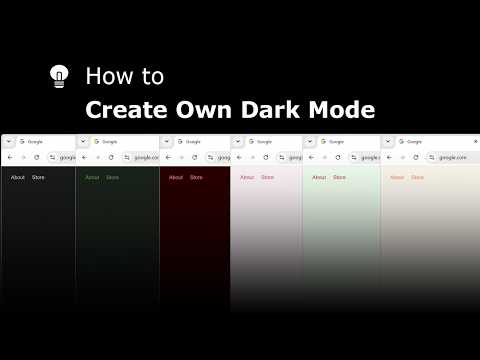
Explore and create your own Dark Mode theme with the Night Mode Themes Gallery
Turn Off the Lights
179 views · 23 days ago

How to Enable Linear Gradient Background in Safari on iPad #tutorial #ipad
Turn Off the Lights
116 views · 24 days ago