
Night Mode: Dark Mode for Any Website
The Night Mode switch turns every bright page into a comfortable dark theme
Want dark mode everywhere, not only on sites that offer it? The free Turn Off the Lights browser extension adds a dark mode switch to every website you visit. Click the switch once and the white page converts to a dark theme with inverted, readable text. Click it again and the page returns to normal. That is Night Mode: real dark mode for any website.
Dark mode even where sites do not offer it
Many websites still have no dark mode option at all. Night Mode works on YouTube, Google, news sites, and thousands of other pages: the switch sits at the bottom-left of the screen, follows you as you scroll, and never blocks what you are reading. Day view and dark mode are always one click apart.
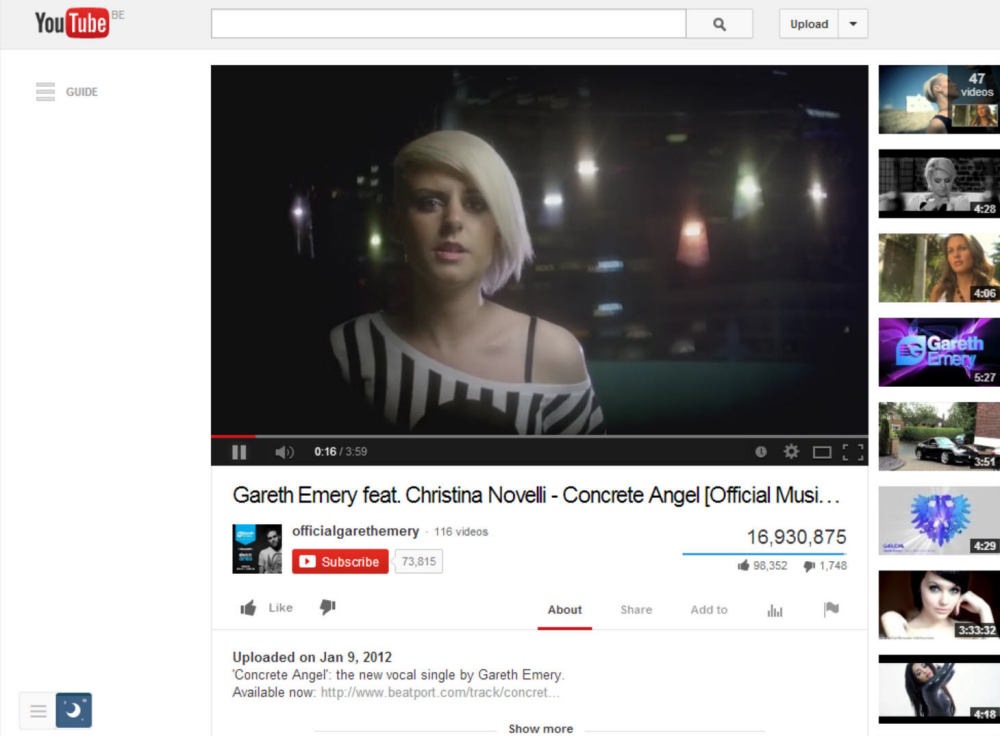
Not the same as your browser or OS dark mode
The dark mode built into your browser or operating system only darkens the interface and websites that already support a dark theme. Night Mode goes further: it forces a dark theme on every website, even ones that were never designed for dark mode. And it works in every browser, from Google Chrome and Firefox to Safari, Opera, and Microsoft Edge.
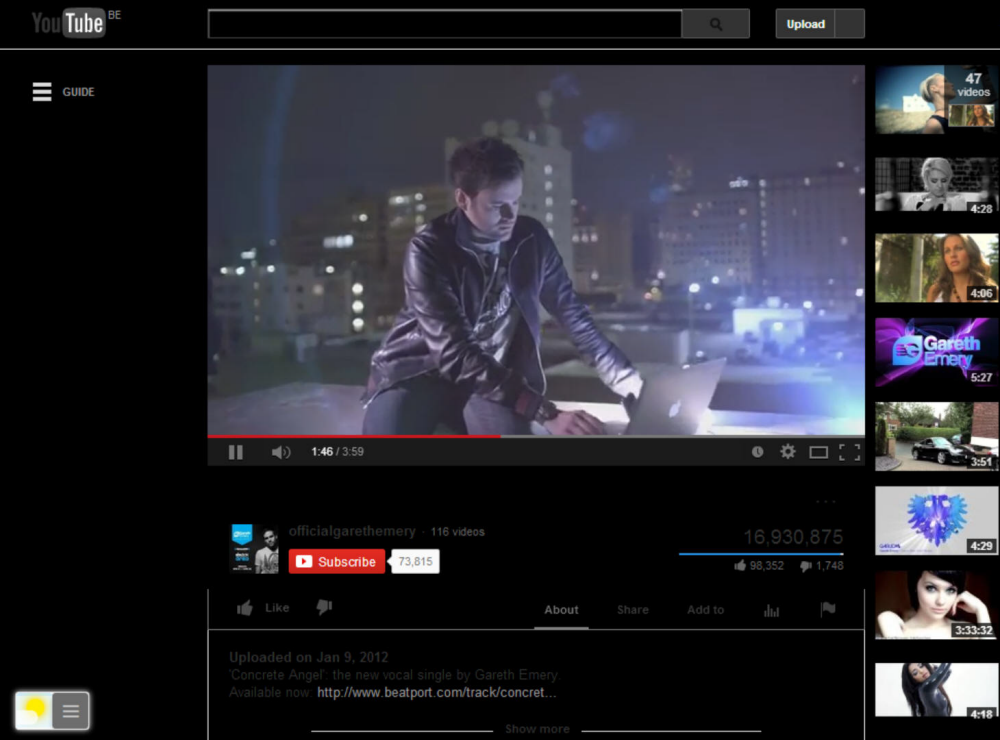
Customize your dark theme
Night Mode applies a lightweight CSS conversion, so nothing is installed per site and the dark theme is fully restylable: white text on black, yellow text on a cool dark blue, or your own combination. For site-specific dark themes see Dark Mode for your favorite websites, such as YouTube dark mode and Google dark mode. For automatic dimming on a schedule, combine it with Eye Protection.
How to enable dark mode on a website
- Install the free Turn Off the Lights extension for Chrome, Firefox, Edge, Opera, Safari, or your favorite browser.
- Right-click the gray lamp button, choose Options, and enable Night Mode so the dark mode switch appears on every page.
- Click the switch at the bottom-left of any page to turn it into dark mode. Click again to return to day view.
Frequently asked questions
How do I get dark mode on websites that do not offer it?
Install the free Turn Off the Lights extension and enable Night Mode. A dark mode switch appears at the bottom-left of every page, and one click converts the site to a dark theme, even on sites like Google that have no built-in dark mode.
Does this dark mode work on every website?
Night Mode applies a CSS conversion to the page colors, so it works on most websites including YouTube, Google, and news sites. The switch follows you as you scroll and never covers the content.
Can I customize the dark mode colors?
Yes. In the Turn Off the Lights options page you can restyle the theme: white text on black, yellow text on a cool dark blue, or any combination you like.
Is this the same as my browser or OS dark mode?
No. Browser and OS dark modes only change the browser interface and sites that already support a dark theme. Night Mode forces a dark theme on every website you visit.
Is the dark mode feature free?
Yes. Night Mode is included in the free and Open-Source Turn Off the Lights extension for Chrome, Firefox, Edge, Opera, Safari, and other browsers. You can read the code yourself on GitHub.
Dark mode everywhere, with one switch. Download Turn Off the Lights and browse in the dark tonight.