How to Change the Chrome Extension Lamp Position in Google Chrome?
SubscribeIn this tutorial, you will learn how to change the position of the Lamp button from the Turn Off the Lights extension in the Google Chrome toolbar. The Chrome toolbar allows you to organize your pinned extensions so your most-used icons are easy to access. I will show you how to move the Lamp icon to a different location, keep it there for future browser sessions, and unpin extensions you no longer want to see in the toolbar. In this video, you will learn: + How to move the Turn Off the Lights Lamp button in Chrome + How to rearrange pinned extension icons in the Chrome toolbar + How to keep your preferred extension position + How to unpin Chrome extensions from the toolbar Steps to check Chrome Extension version number: 00:00 Intro 00:16 Manage Chrome Extension 00:50 Remove Pinned Extensions 01:05 Conclusion Questions or need help? Go to https://www.turnoffthelights.com/support/ ALSO AVAILABLE FOR OTHER WEB BROWSERS! TRY IT NOW ON GOOGLE CHROME: https://chromewebstore.google.com/detail/turn-off-the-lights/bfbmjmiodbnnpllbbbfblcplfjjepjdn TRY IT NOW ON FIREFOX: https://addons.mozilla.org/en-US/firefox/addon/turn-off-the-lights/ TRY IT NOW ON MICROSOFT EDGE: https://microsoftedge.microsoft.com/addons/detail/fmamkbgpnienhphflfdamlhnljffjdgm TRY IT NOW ON OPERA: https://addons.opera.com/extensions/details/turn-off-the-lights/ TRY IT NOW ON SAFARI: https://apps.apple.com/app/turn-off-the-lights-for-safari/id1273998507?mt=12 Please use and enjoy it, and if you can make a donation of any amount, I'd appreciate it immensely https://www.turnoffthelights.com/donate/ #free #turnoffthelights #browserextension
Related videos

How to Check Chrome Extension Version Number in Google Chrome! (Windows, Mac, Linux, Chromebook)
Turn Off the Lights
183 views · 7 days ago

The Ultimate iPad Safari Dark Mode & Eye Protection Guide | FREE
Turn Off the Lights
229 views · 7 days ago

How to Enable Blur Background in Safari on iPad | Safari Extension
Turn Off the Lights
214 views · 14 days ago

Turn Off the Lights Night Mode Engine Compared: Personalized vs Standard | Which Is Faster?
Turn Off the Lights
157 views · 14 days ago

How to Enable Linear Gradient Background as a dimmed layer on iPad | Safari Extension
Turn Off the Lights
177 views · 14 days ago

How to Enable Eye Protection in Safari on iPad | Safari Extension
Turn Off the Lights
263 views · 21 days ago

How to Enable Dynamic Background in Safari on iPad | Safari Extension
Turn Off the Lights
161 views · 21 days ago
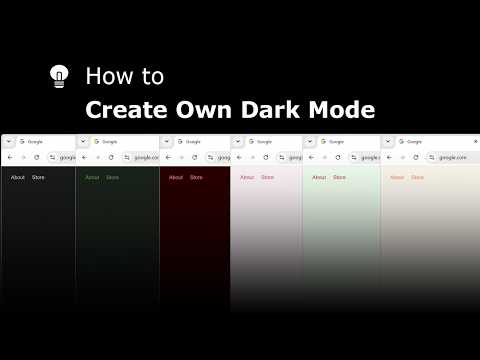
Explore and create your own Dark Mode theme with the Night Mode Themes Gallery
Turn Off the Lights
175 views · 21 days ago

How to Enable Linear Gradient Background in Safari on iPad #tutorial #ipad
Turn Off the Lights
115 views · 22 days ago

How to Enable Blur in Safari on iPad #turorial #ipad
Turn Off the Lights
269 views · 23 days ago