How to Check Chrome Extension Version Number in Google Chrome! (Windows, Mac, Linux, Chromebook)
SubscribeWant to learn how to check the version number of a Chrome extension in Google Chrome? In this step-by-step tutorial, I'll show you how to quickly find the installed version of any Chrome extension on Windows, Mac, Linux, and Chromebook. Knowing your extension version is useful when troubleshooting issues, checking for updates, reporting bugs, or confirming that you have the latest release installed. Whether you're using the Turn Off the Lights Chrome extension or any other extension from the Chrome Web Store, this guide will help you locate the version number in just a few clicks. In this video, you will learn: + How to check a Chrome extension version number + How to view installed extension details in Google Chrome + How to verify if your extension is up to date + How to find extension information for troubleshooting + Works on Windows, macOS, Linux, and ChromeOS (Chromebook) Steps to check Chrome Extension version number: 00:00 Intro 00:17 Manage Chrome Extension 00:50 Options page 01:21 Conclusion Questions or need help? Go to https://www.turnoffthelights.com/support/ ALSO AVAILABLE FOR OTHER WEB BROWSERS! TRY IT NOW ON GOOGLE CHROME: https://chromewebstore.google.com/detail/turn-off-the-lights/bfbmjmiodbnnpllbbbfblcplfjjepjdn TRY IT NOW ON FIREFOX: https://addons.mozilla.org/en-US/firefox/addon/turn-off-the-lights/ TRY IT NOW ON MICROSOFT EDGE: https://microsoftedge.microsoft.com/addons/detail/fmamkbgpnienhphflfdamlhnljffjdgm TRY IT NOW ON OPERA: https://addons.opera.com/extensions/details/turn-off-the-lights/ TRY IT NOW ON SAFARI: https://apps.apple.com/app/turn-off-the-lights-for-safari/id1273998507?mt=12 Please use and enjoy it, and if you can make a donation of any amount, I'd appreciate it immensely https://www.turnoffthelights.com/donate/ #free #turnoffthelights #browserextension
Related videos

The Ultimate iPad Safari Dark Mode & Eye Protection Guide | FREE
Turn Off the Lights
41 views · 18 hours ago

How to Enable Blur Background in Safari on iPad | Safari Extension
Turn Off the Lights
184 views · 7 days ago

Turn Off the Lights Night Mode Engine Compared: Personalized vs Standard | Which Is Faster?
Turn Off the Lights
137 views · 7 days ago

How to Enable Linear Gradient Background as a dimmed layer on iPad | Safari Extension
Turn Off the Lights
143 views · 7 days ago

How to Enable Eye Protection in Safari on iPad | Safari Extension
Turn Off the Lights
232 views · 14 days ago

How to Enable Dynamic Background in Safari on iPad | Safari Extension
Turn Off the Lights
154 views · 14 days ago
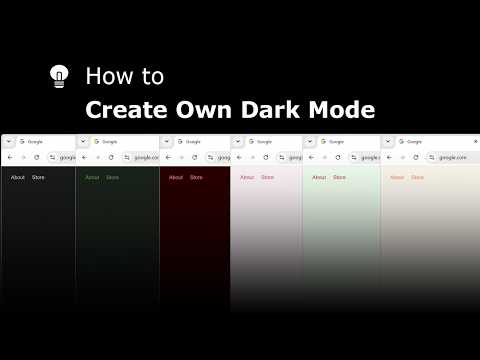
Explore and create your own Dark Mode theme with the Night Mode Themes Gallery
Turn Off the Lights
165 views · 14 days ago

How to Enable Linear Gradient Background in Safari on iPad #tutorial #ipad
Turn Off the Lights
111 views · 15 days ago

How to Enable Blur in Safari on iPad #turorial #ipad
Turn Off the Lights
266 views · 16 days ago

Get Smoke Dynamic Background in Safari on iPad #tutorial #ipad
Turn Off the Lights
119 views · 17 days ago