Enhance Focus 🧠| Dim Screen Brightness 🕶️| Turn Off the Lights Extension #turnoffthelights #free
SubscribeTurn Off the Lights browser extension to dim the screen and highlight the video player if available on the web page. Try it now! https://www.turnoffthelights.com Double Click feature The double click menu is a useful hidden menu to control the basic of the Turn Off the Lights Browser extension. It is simple and very easy to use. You can change the following options: + Opacity of the dark layer + Color of the dark layer + Enable the Night Mode switch + Change the color of the Night mode (background, text, and hyperlink) + Enable Atmosphere Lighting (1 solid, 4 solid, and vivid mode) GET IT NOW! https://www.turnoffthelights.com #shorts #free #browserextension
Related videos

How to Change the Chrome Extension Lamp Position in Google Chrome?
Turn Off the Lights
132 views · 2 days ago

How to Check Chrome Extension Version Number in Google Chrome! (Windows, Mac, Linux, Chromebook)
Turn Off the Lights
191 views · 9 days ago

The Ultimate iPad Safari Dark Mode & Eye Protection Guide | FREE
Turn Off the Lights
245 views · 9 days ago

How to Enable Blur Background in Safari on iPad | Safari Extension
Turn Off the Lights
221 views · 16 days ago

Turn Off the Lights Night Mode Engine Compared: Personalized vs Standard | Which Is Faster?
Turn Off the Lights
162 views · 16 days ago

How to Enable Linear Gradient Background as a dimmed layer on iPad | Safari Extension
Turn Off the Lights
181 views · 16 days ago

How to Enable Eye Protection in Safari on iPad | Safari Extension
Turn Off the Lights
266 views · 23 days ago

How to Enable Dynamic Background in Safari on iPad | Safari Extension
Turn Off the Lights
163 views · 23 days ago
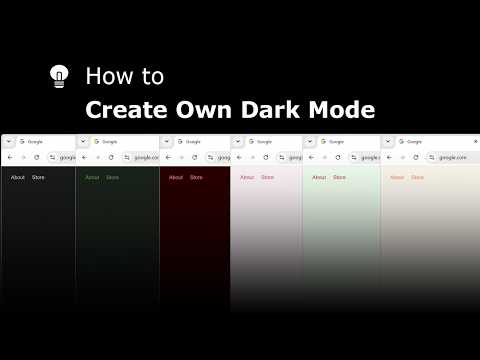
Explore and create your own Dark Mode theme with the Night Mode Themes Gallery
Turn Off the Lights
179 views · 23 days ago

How to Enable Linear Gradient Background in Safari on iPad #tutorial #ipad
Turn Off the Lights
116 views · 24 days ago