How to Change the Lamp Button on iPad | Safari Extension
SubscribeWant to change the lamp button in Safari on your iPad? In this quick tutorial, I’ll show you how to use the Turn Off the Lights Safari extension to customize the look of your lamp button. You can choose from five different lamp button styles, including Gray, Gold, Rose Gold, Rainbow, and White. I’ll show you where to find these options and how to change the lamp button in just a few taps. Once you’ve selected your favorite lamp button, you can continue using it as usual. A single tap dims the web page, while a double tap opens the mini settings panel for quick access to your settings. This works on iPad Pro, iPad Air, iPad mini, and other supported iPad models using Safari. In this video, you'll learn: + How to change the Turn Off the Lights lamp button on iPad + How to find the Bulb settings + How to choose a different lamp button style + How to select the Gold, Rose Gold, Rainbow, Gray, or White lamp button + How to use the lamp button to dim a web page + How to open the mini settings panel Steps to change the lamp button: 00:00 Intro 00:15 Options page 01:36 Conclusion Questions or need help? Go to https://www.turnoffthelights.com/support/ ALSO AVAILABLE FOR OTHER WEB BROWSERS! TRY IT NOW ON GOOGLE CHROME: https://chromewebstore.google.com/detail/turn-off-the-lights/bfbmjmiodbnnpllbbbfblcplfjjepjdn TRY IT NOW ON FIREFOX: https://addons.mozilla.org/en-US/firefox/addon/turn-off-the-lights/ TRY IT NOW ON MICROSOFT EDGE: https://microsoftedge.microsoft.com/addons/detail/fmamkbgpnienhphflfdamlhnljffjdgm TRY IT NOW ON OPERA: https://addons.opera.com/extensions/details/turn-off-the-lights/ TRY IT NOW ON SAFARI: https://apps.apple.com/app/turn-off-the-lights-for-safari/id1273998507?mt=12 Please use and enjoy it, and if you can make a donation of any amount, I'd appreciate it immensely https://www.turnoffthelights.com/donate/ #free #turnoffthelights #browserextension #ios27
Related videos

How to Change the Chrome Extension Lamp Position in Google Chrome?
Turn Off the Lights
132 views · 2 days ago

How to Check Chrome Extension Version Number in Google Chrome! (Windows, Mac, Linux, Chromebook)
Turn Off the Lights
191 views · 9 days ago

The Ultimate iPad Safari Dark Mode & Eye Protection Guide | FREE
Turn Off the Lights
245 views · 9 days ago

How to Enable Blur Background in Safari on iPad | Safari Extension
Turn Off the Lights
221 views · 16 days ago

Turn Off the Lights Night Mode Engine Compared: Personalized vs Standard | Which Is Faster?
Turn Off the Lights
162 views · 16 days ago

How to Enable Linear Gradient Background as a dimmed layer on iPad | Safari Extension
Turn Off the Lights
181 views · 16 days ago

How to Enable Eye Protection in Safari on iPad | Safari Extension
Turn Off the Lights
266 views · 23 days ago

How to Enable Dynamic Background in Safari on iPad | Safari Extension
Turn Off the Lights
163 views · 23 days ago
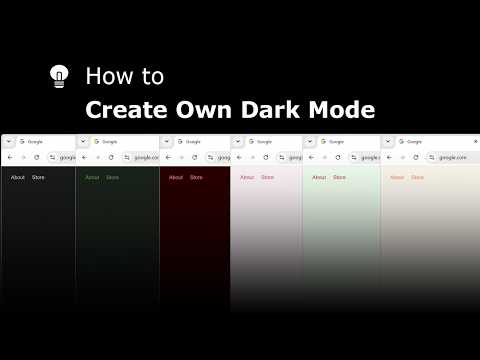
Explore and create your own Dark Mode theme with the Night Mode Themes Gallery
Turn Off the Lights
179 views · 23 days ago

How to Enable Linear Gradient Background in Safari on iPad #tutorial #ipad
Turn Off the Lights
116 views · 24 days ago