As featured in
YouTube Dark Mode Features
Everything You Need for the Best YouTube Dark Mode
Turn Off the Lights is not just a simple youtube dark mode. It is a complete browser enhancement built to give you full control over how every website looks in the dark.
Night Mode Toggle on YouTube
A dedicated dark mode switch appears directly on every YouTube page. One click turns YouTube black — no account, no settings menus required.
Customizable Dark Colors
Choose your own background, text, and link colors for YouTube dark mode. Design it exactly the way you want it.
Scheduled Dark Mode
Set sunrise/sunset schedules or custom time windows to activate YouTube dark mode automatically.
Smart Site Detection
Automatically skips applying dark mode if YouTube already has its own dark theme active, preventing double-layering.
Cinema Dimming + Dark Mode
Combine Night Mode with the signature lamp-dimming feature to create a complete cinema atmosphere on YouTube.
Works on All Browsers
One extension, one settings sync — YouTube dark mode works identically on Chrome, Firefox, Edge, Safari, and Opera.
Live Preview
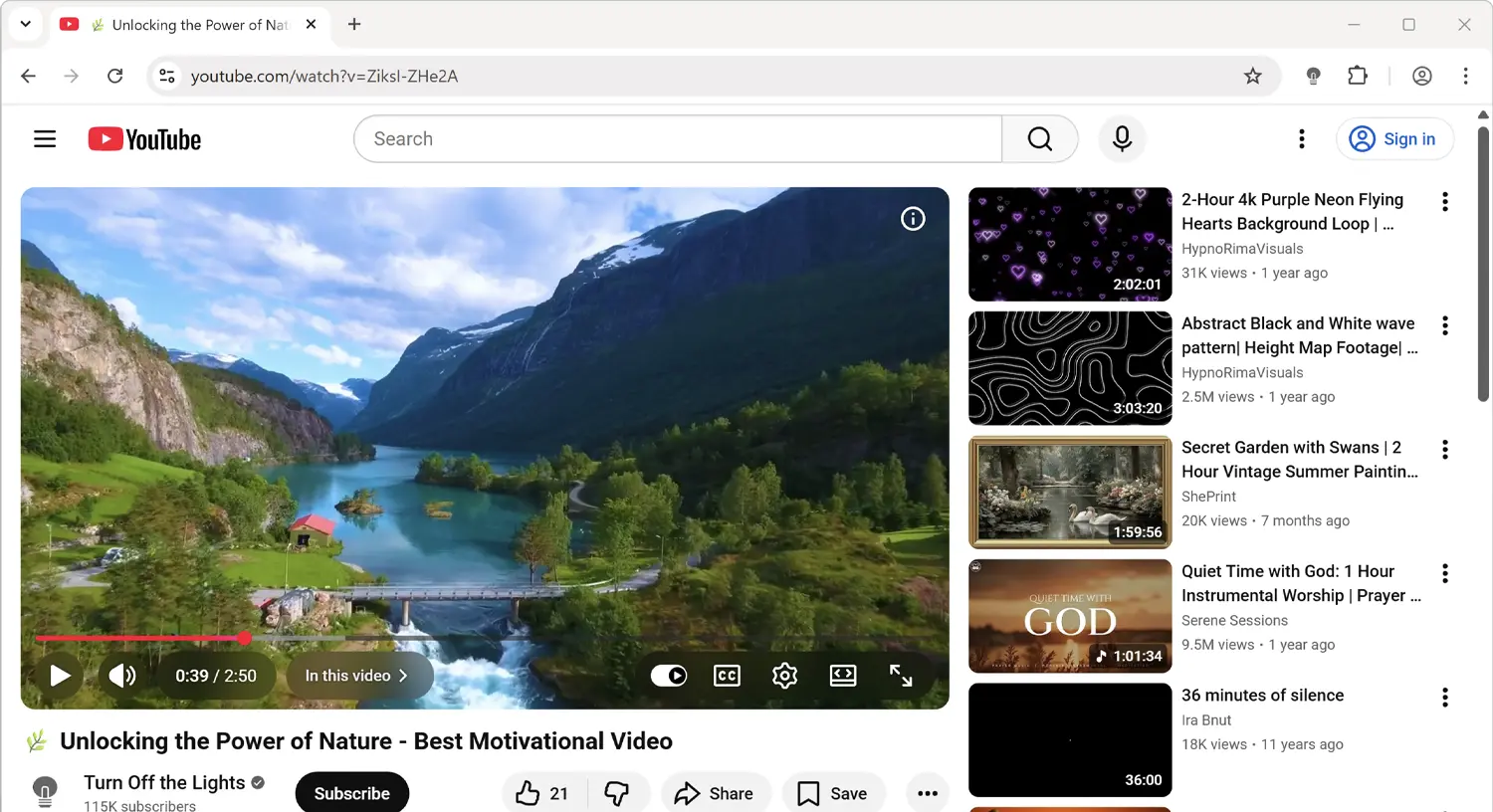
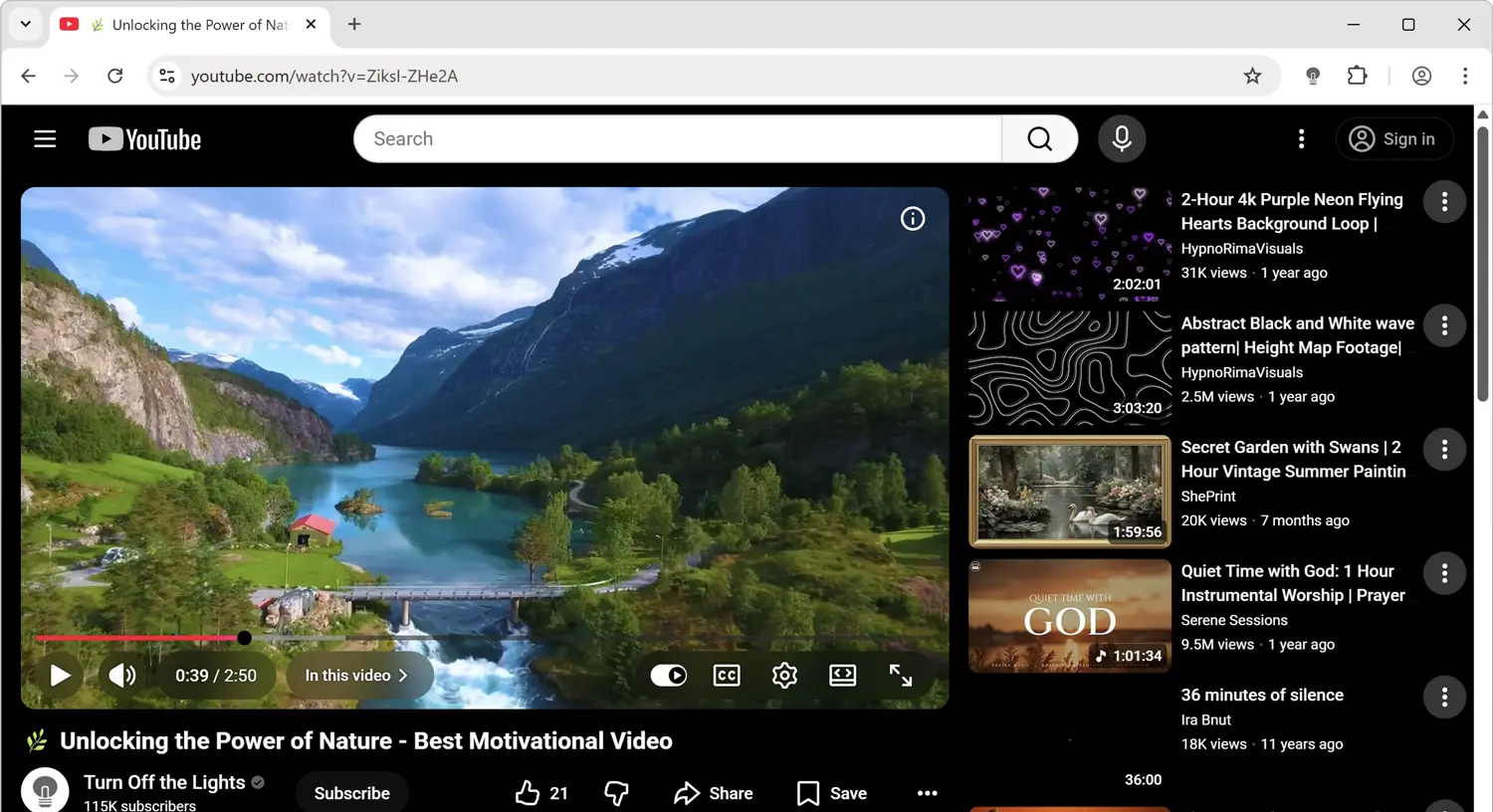
YouTube Dark Mode: Before & After Comparison
See the difference in before and after screenshots of YouTube with Turn Off the Lights Night Mode enabled. The extension transforms YouTube's bright white interface into a dark, eye-friendly theme that makes browsing more comfortable, especially in low-light environments.
Before
After
How It Works
Enable YouTube Dark Mode in Under 30 Seconds
Turn Off the Lights is available in every major browser store and takes less than 30 seconds to install and activate. No configuration needed — it works instantly.
Install Turn Off the Lights
Add the free extension from your browser's extension store in under 10 seconds.
Open Any YouTube Page
Navigate to youtube.com — you will see the Night Mode switch appear at the bottom left.
Click the Night Mode Switch
One click turns YouTube dark instantly. Click again to restore light mode at any time.
Customize in Options
Right-click the lamp icon → Options → Night Mode tab to choose custom colors and schedules.
Browser Support
One YouTube Dark Mode Extension. Every Browser.
Turn Off the Lights is available across all major desktop browsers. Install it in one browser and your Night Mode settings sync automatically to others.
⬇ Install Free — YouTube Dark Mode


FAQ
Frequently Asked Questions About YouTube Dark Mode
Install Turn Off the Lights, open any YouTube page, and click the Night Mode switch at the bottom left of the YouTube interface. YouTube dark mode activates instantly — no account needed.
Yes, but it requires being signed in and navigating to Settings > Appearance. Turn Off the Lights adds a one-click dark mode switch directly on every YouTube page, making it far more accessible.
Yes. The Turn Off the Lights Night Mode works on YouTube whether you are signed in or not, unlike YouTube's native dark theme which requires an account.
Yes. Open the Turn Off the Lights Options page, go to the Night Mode tab, and choose your own background color, text color, hyperlink color, and button color.
Why Turn Off the Lights
The Most Complete YouTube Dark Mode Solution Available
Millions of people search for YouTube dark mode every month because YouTube's own dark theme is buried deep inside account settings and requires being signed in. Turn Off the Lights solves this completely.
Night Mode Switch Directly on YouTube
Turn Off the Lights places a Night Mode toggle switch directly on the YouTube interface — at the bottom left of every YouTube page. One click flips YouTube between dark and light theme. No account required. No settings menus. Just instant YouTube dark mode.
Full Control Over Your YouTube Dark Mode
Unlike YouTube's built-in dark theme, Turn Off the Lights lets you customize the dark mode colors. Choose your own background color, text color, hyperlink color, and button color. You can even create and share custom Night Mode themes using the built-in Theme Creator.
Scheduled YouTube Dark Mode
Set a time schedule to automatically activate YouTube dark mode at sunset and restore light mode at sunrise — or pick exact hours that match your routine. The extension detects when a page already has dark mode enabled and smartly skips applying a second layer.
Open Source, Private, and Free — Always
Turn Off the Lights collects no personal data, displays no advertising, and charges nothing. The extension is fully open-source under the GNU General Public License Version 2 (GPLv2), with its complete source code available on GitHub for anyone to inspect. It has been in continuous development since 2009 and remains one of the most trusted browser extensions available, with millions of active users across all major browsers. Stefan Van Damme is the solo developer and has maintained the extension with monthly updates for over 15 years.