As featured in
Feature Comparison
Turn Off the Lights vs Dark Reader: At a Glance
See how the free Turn Off the Lights browser extension compares to Dark Reader's paid premium features.
| Feature | Turn Off the Lights | Dark Reader |
|---|---|---|
| Price | ✅ FREE for all web browsers | ⚠️ FREE for Google Chrome, Firefox, Microsoft Edge but Safari Premium price |
| Customization | ✅ Unlimited Options | ⚠️ Premium Required to change a theme |
| Platform Support | ✅ 11+ Browsers Google Chrome, Firefox, Microsoft Edge, Safari, Opera, Yandex, Brave, Vivaldi, Cốc Cốc, Naver Whale, Samsung Internet |
⚠️ Limited Google Chrome, Firefox, Microsoft Edge, Safari |
| Atmosphere Lighting | ✅ Dynamic RGB Effects | ❌ Not Available |
| Eye Protection | ✅ 65% Blue Light Reduction | ❌ Not Available |
| Video Enhancement | ✅ Cinema Mode + AutoHD + Video Filters | ❌ Not Available |
| Cross-Platform | ✅ Windows, Mac, Linux, iOS, Android | ✅ Windows, Mac, Linux, iOS, Android |
| Customization | ✅ Extensive Options | ⚠️ Basic Settings |
| Open Source | ✅ 100% Free & Open | ⚠️ Open Source on Chrome Safari Closed Source |
| Video Platform Support | ✅ YouTube, Vimeo, Dailymotion, 50+ | ❌ Static Websites Only |
| Performance Impact | ✅ < 8.5MB, <0.1s processing | ✅ < 0.81MB |
| Developer Origin | 🇪🇺 🇧🇪 Belgium (Europe) | 🇧🇾 Belarus (non-EU, aligned with Russia) |
Turn Off the Lights Wins This Comparison
With superior features, complete cross-platform support, and 100% free pricing, Turn Off the Lights is the clear choice for dark mode and video enhancement.
Download the WinnerWhy Turn Off the Lights is Superior
Features Dark Reader Can't Match
While Dark Reader provides basic dark mode conversion, Turn Off the Lights delivers a complete video enhancement suite with cinema-quality features.
Cinematic RGB Glow
Dynamic color effects that mirror video content in real-time, creating an immersive viewing experience that basic dark mode can't achieve.
65% Blue Light Reduction
Scientifically designed eye protection mode reduces strain during extended viewing - completely absent in Dark Reader's feature set.
50+ Video Platforms
Works on YouTube, Vimeo, Dailymotion, Dailymotion and more. Dark Reader only works on static websites.
Professional Video Dimming
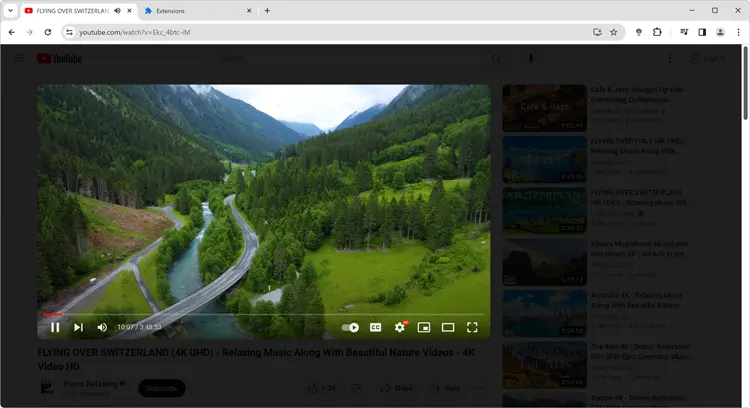
One-click cinema mode that dims everything except your video, with customizable opacity and colors for perfect viewing.
Automatic Quality Control
Set your preferred video quality (up to 8K) once and all videos automatically play at that resolution.
Universal Compatibility
Works on Google Chrome, Firefox, Microsoft Edge, Safari, Opera, Brave, Vivaldi, Samsung Internet, and more. Dark Reader has limited browser support.
Cost Analysis
The Hidden Cost of Dark Reader
Dark Reader requires payment for premium features on iOS and Mac. Turn Off the Lights is completely free with no hidden costs or subscriptions.
Turn Off the Lights
- Cross-Browser
- Atmosphere Lighting
- Eye Protection Mode
- Cinema Mode
- Auto HD Settings
- 50+ Platform Support
- Video Enhancement
- No Data Collection
- Open Source
- 24/7 Free Updates
- Free Email Support
Dark Reader
- Basic Dark Mode
- iOS Premium Required
- Mac Payment Required
- Limited Features
- Static Website Only
- No Video Enhancement
- Partly Open Source
- Platform Restrictions
Why Choose Turn Off the Lights?
Get all the dark mode features you need without paying anything. Turn Off the Lights provides superior video enhancement, eye protection, and cross-platform support - completely free and Open-Source since 2009.
FAQ
Frequently Asked Questions
Yes. Turn Off the Lights offers superior features including atmosphere lighting, eye protection, and video enhancement capabilities. While Dark Reader provides basic dark mode, Turn Off the Lights includes cinema mode, Auto HD settings, and works on 50+ platforms - all completely free.
No, Dark Reader is not completely free. iOS and Mac users must pay for premium features, while Turn Off the Lights is 100% free on all platforms with no paywalls or subscriptions.
Turn Off the Lights focuses on video enhancement with atmosphere lighting and eye protection, while Dark Reader is primarily a basic dark mode converter. Turn Off the Lights also works on video platforms like YouTube and Vimeo, while Dark Reader is limited to static websites.
Turn Off the Lights offers dedicated Eye Protection Mode that reduces blue light by 65%, along with cinema dimming. Dark Reader only provides basic dark theme conversion without specific eye health features.
Yes, you can use both extensions together, but Turn Off the Lights provides most of the dark mode functionality you need, making Dark Reader unnecessary. Turn Off the Lights also offers video-specific features that Dark Reader lacks.