As featured in
Google Dark Mode Features
Everything You Need for the Best Google Dark Mode
Turn Off the Lights is not just a simple google dark mode. It is a complete browser enhancement built to give you full control over how every website looks in the dark.
Google Search Dark Mode
Applies Night Mode to Google Search results pages — search in comfort without the bright white background.
Gmail Dark Mode
Turns Gmail's interface dark with your chosen colors — more comfortable for reading and composing long emails.
Google Drive & Docs Dark Mode
Dark mode applies to Drive, Docs, Sheets, Slides, and Calendar — your entire Google Workspace in dark.
Google Maps Dark Mode
Night Mode applies to Google Maps in the browser — useful for planning routes in the evening.
OLED True Black for Google
Set Google's backgrounds to pure #000000 for OLED devices — pixels off, battery saved, contrast maximized.
Automatic Time Scheduling
Automatically activate Google dark mode at sunset and restore at sunrise, synced to your location's time.
Live Preview
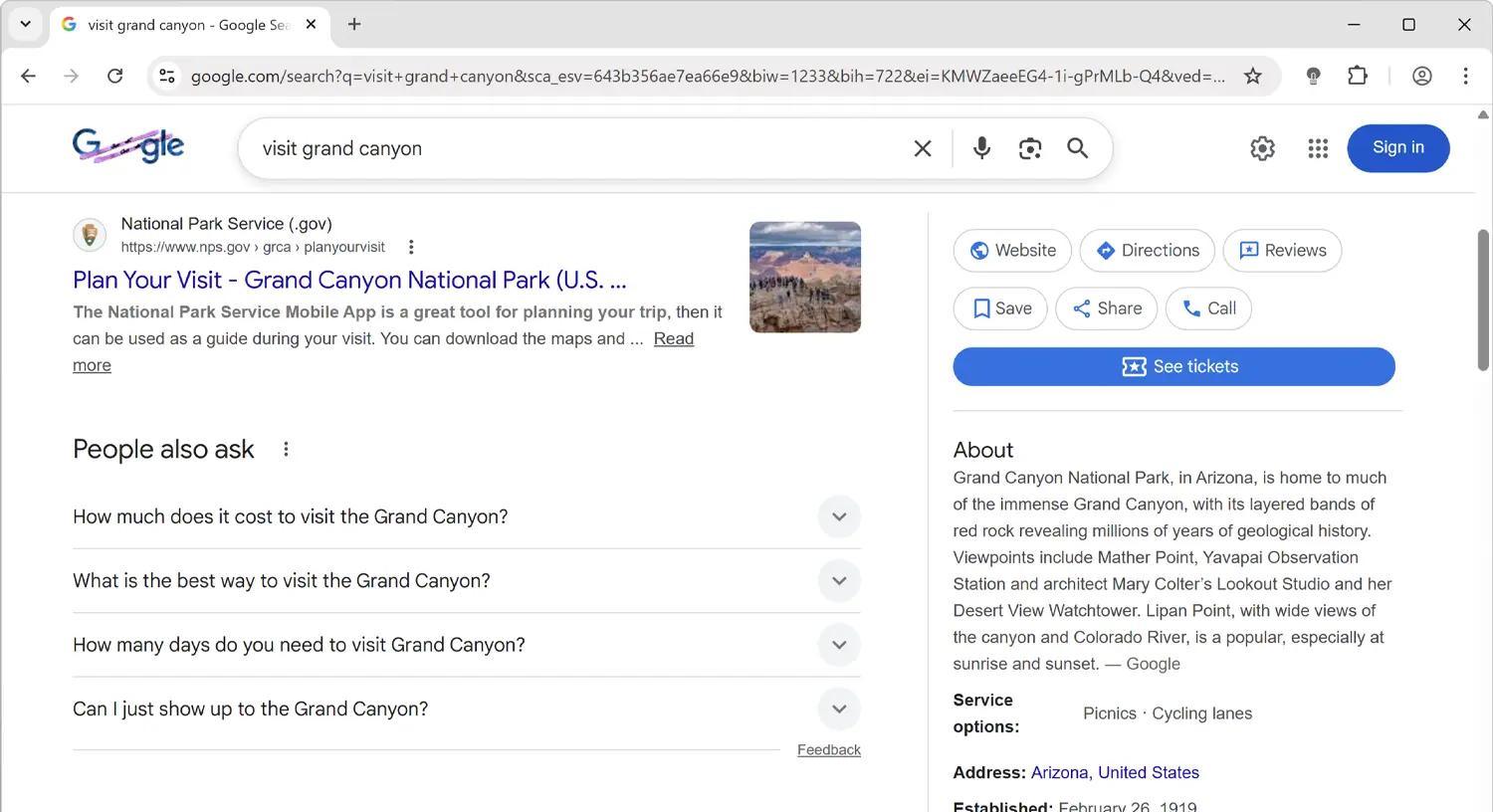
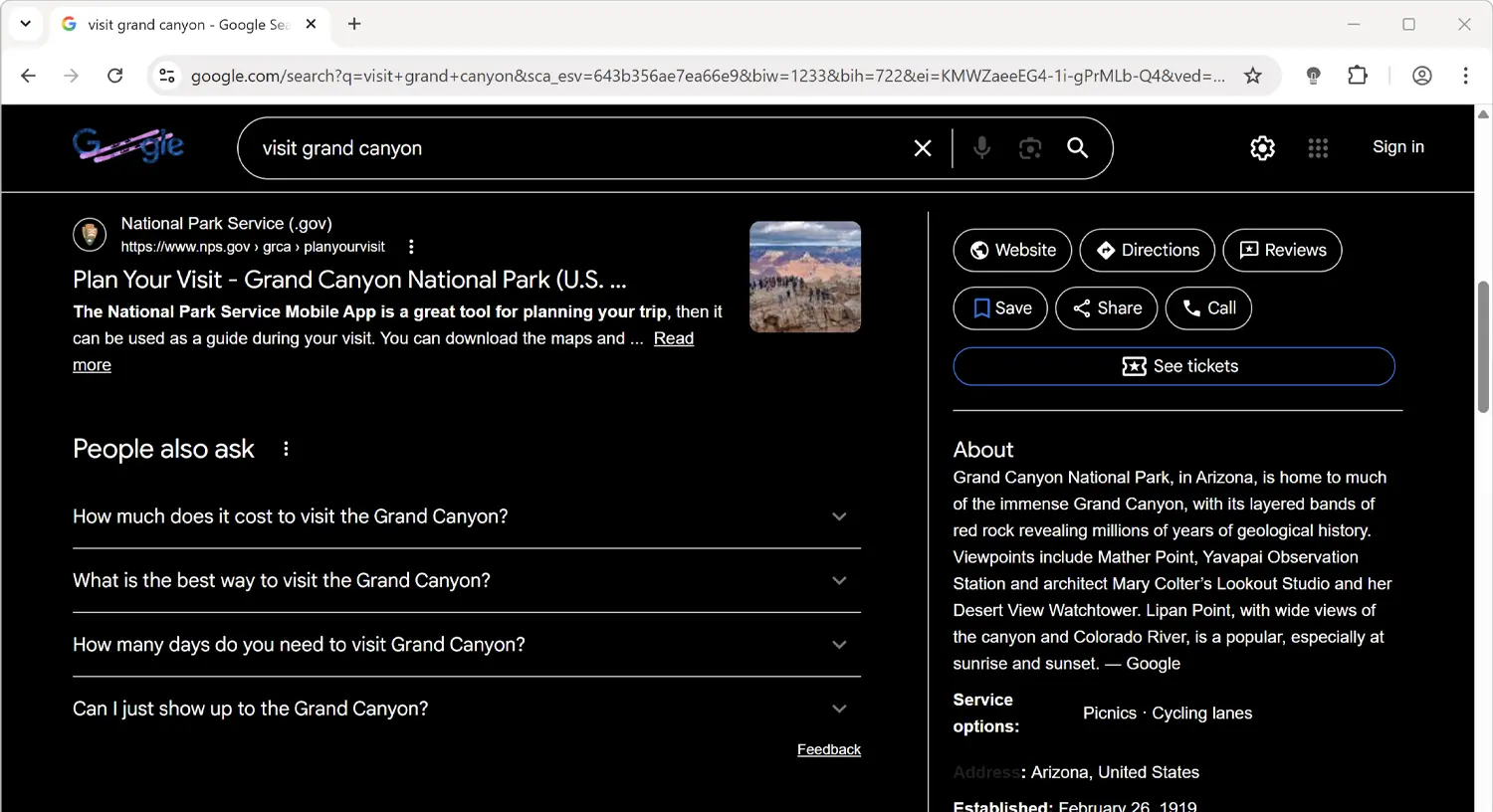
Google Dark Mode: Before & After Comparison
See the difference in before and after screenshots of Google with Turn Off the Lights Night Mode enabled. The extension transforms Google's bright white interface into a dark, eye-friendly theme that makes browsing more comfortable, especially in low-light environments.
Before
After
How It Works
Enable Google Dark Mode in Under 30 Seconds
Turn Off the Lights is available in every major browser store and takes less than 30 seconds to install and activate. No configuration needed — it works instantly.
Install Turn Off the Lights
Add the free extension from your browser's extension store — Chrome, Firefox, Edge, Safari, or Opera.
Open Any Google Page
Go to google.com, gmail.com, drive.google.com, or any other Google service.
Enable Night Mode in Options
Open Turn Off the Lights Options → Night Mode tab and toggle the switch on.
Customize for Google
Set the background to black or your preferred dark color. Schedule automatic activation at sunset if desired.
Browser Support
One Facebook Dark Mode Extension. Every Browser.
Turn Off the Lights is available across all major desktop browsers. Install it in one browser and your Night Mode settings sync automatically to others.
⬇ Install Free — Facebook Dark Mode


FAQ
Frequently Asked Questions About Google Dark Mode
Install Turn Off the Lights, open Options → Night Mode, and enable the switch. Google Search and all Google sites will load in dark mode.
Google has a dark mode for some services but it varies by region and account settings. Turn Off the Lights provides a consistent dark mode across all Google services regardless of account status.
Yes — Night Mode applies to all websites including Gmail, Google Drive, Google Docs, Google Sheets, Google Slides, Google Calendar, and more.
Yes. Set the Night Mode background to #000000 in the options. On OLED displays, Google's white backgrounds are replaced with pure black, turning pixels off and saving battery.
Why Turn Off the Lights
The Most Complete Google Dark Mode Solution Available
People searching for Google dark mode want Google Search and all Google apps to display in dark. While Google offers dark modes in some apps, coverage is inconsistent across its many services. Turn Off the Lights unifies all of them.
Dark Mode for Google Search
Google Search's dark mode is available in some regions and browser configurations, but it is not universally available and can be inconsistent. Turn Off the Lights applies a reliable, consistent Night Mode to Google Search regardless of your location, browser, or whether you are signed in.
Dark Mode Across All Google Services
Turn Off the Lights applies the same dark theme consistently to every Google property: Google Search, Gmail, Google Drive, Google Docs, Google Sheets, Google Slides, Google Calendar, Google Maps, Google Photos, Google Play, and more — all with the same colors you configure once.
OLED True-Black for Google Pages
Google's white pages are notorious for eye strain on bright OLED displays. Turn Off the Lights supports true #000000 black mode — setting Google's white backgrounds to pure black so OLED pixels turn completely off, maximizing battery life on laptops and mobile devices.
Open Source, Private, and Free — Always
Turn Off the Lights collects no personal data, displays no advertising, and charges nothing. The extension is fully open-source under the GNU General Public License Version 2 (GPLv2), with its complete source code available on GitHub for anyone to inspect. It has been in continuous development since 2009 and remains one of the most trusted browser extensions available, with millions of active users across all major browsers. Stefan Van Damme is the solo developer and has maintained the extension with monthly updates for over 15 years.