Mouse Actions: Magic Effects Around Your Cursor
Spotlight, click-through and custom-area focus when the lights are off
Turn Off the Lights is simple, click the lamp and the page dims. But Mouse Actions add a layer of magic to your cursor when the lights are off, so you can keep reading, clicking and focusing without turning them back on.
Normal use
The classic: click the lamp button and one dark layer covers the page around the video.
Spotlight
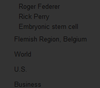
A circle of light follows your cursor across the dimmed page, so you can still see and click links.
Click-through
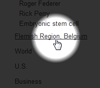
Click straight through the dark layer to open a link, the lights stay off while you navigate.
Select custom area
Drag a rectangle around what you want to see, a text block or image, and only that area stays in focus.
How to use the mouse actions
- Install the free Turn Off the Lights extension for Chrome, Firefox, Edge, Opera, Safari or your favorite browser.
- Right-click the gray lamp button, choose Options, and pick a mouse action.
- Dim the page and use it, the spotlight follows your cursor, or drag to select an area to keep bright.
Frequently asked questions
What are the Mouse Actions in Turn Off the Lights?
Mouse Actions are effects around your cursor when the page is dimmed: a spotlight that follows the mouse, a click-through mode that lets you open links under the dark layer, and a custom-area selection that keeps only part of the page in focus.
How do I click a link while the page is dimmed?
Enable the spotlight option, a circle of light follows your cursor so you can see and click links on the dimmed page. Or use click-through mode to click straight through the dark layer without turning the lights back on.
Can I keep just one part of the page in focus?
Yes. With Select Custom Area, click and drag a rectangle around what you want to see, a text block or an image, and only that area stays bright while the rest of the page dims.
Are the mouse actions free?
Yes. They are included in the free and Open-Source Turn Off the Lights browser extension on Chrome, Firefox, Edge, Opera, Safari and other supported browsers.
It is more than a dark layer, it is a smarter way to browse. Download Turn Off the Lights and try the Mouse Actions today.