As featured in
Amazon Dark Mode Features
Everything You Need for the Best Amazon Dark Mode
Turn Off the Lights is not just a simple amazon dark mode. It is a complete browser enhancement built to give you full control over how every website looks in the dark.
Dark Mode for Amazon.com
Applies Night Mode to Amazon's product pages, search results, cart, checkout, and every other Amazon page.
Instant, No Flash of White
Night Mode loads before the page renders — you never see a bright flash when opening Amazon pages.
Custom Dark Colors for Amazon
Set your own background color, text color, and link color to create the perfect dark Amazon experience.
Works on All Amazon Regions
Night Mode works on amazon.com, amazon.co.uk, amazon.de, amazon.fr, amazon.co.jp and all other regional Amazon stores.
Auto-Schedule Dark Mode
Turn Amazon dark mode on automatically at your chosen time — perfect for evening browsing sessions.
No Tracking, Fully Private
Turn Off the Lights does not read or transmit your Amazon browsing data. Open-source and fully transparent.
Live Preview
Amazon Dark Mode: Before & After Comparison
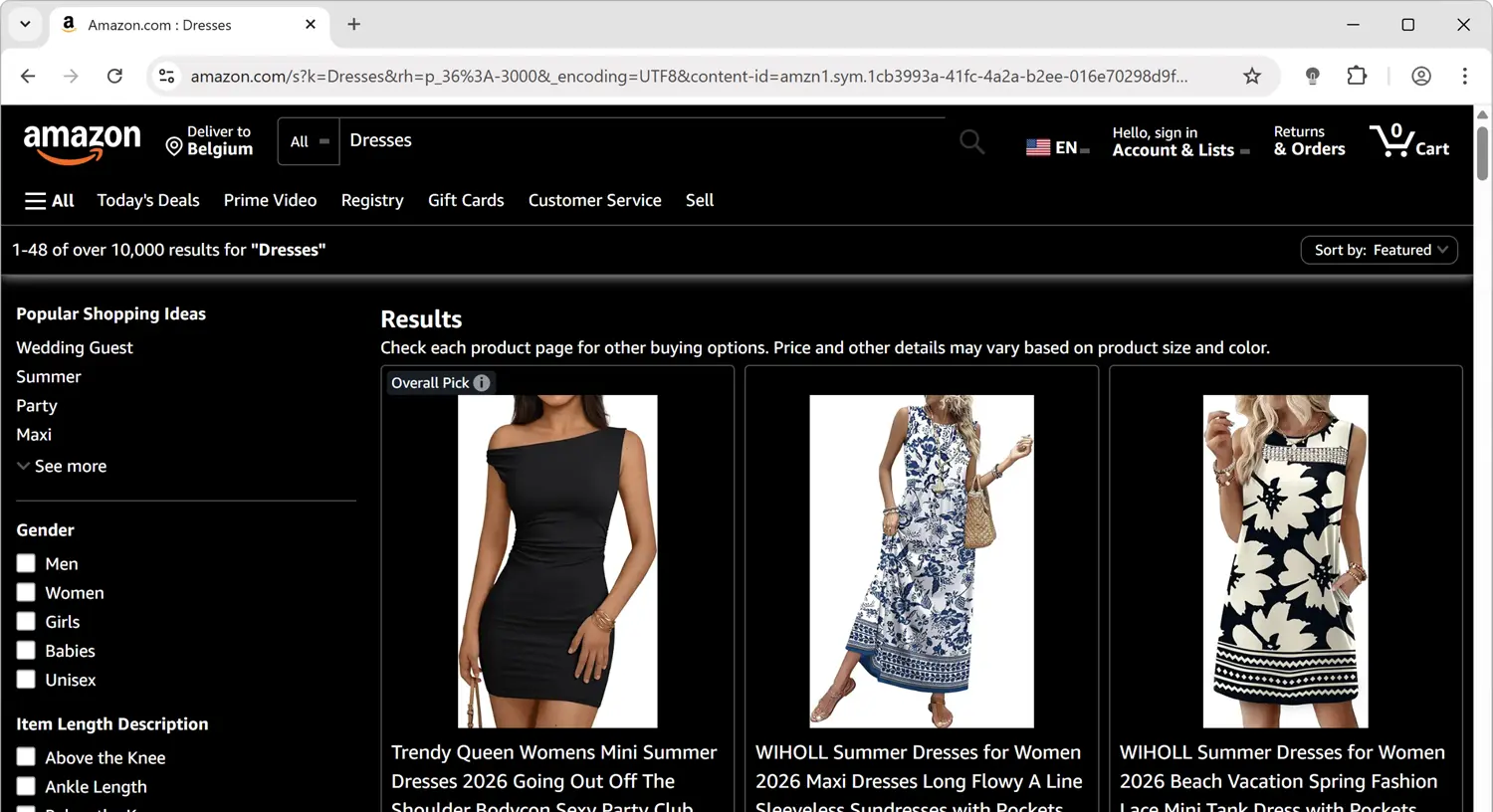
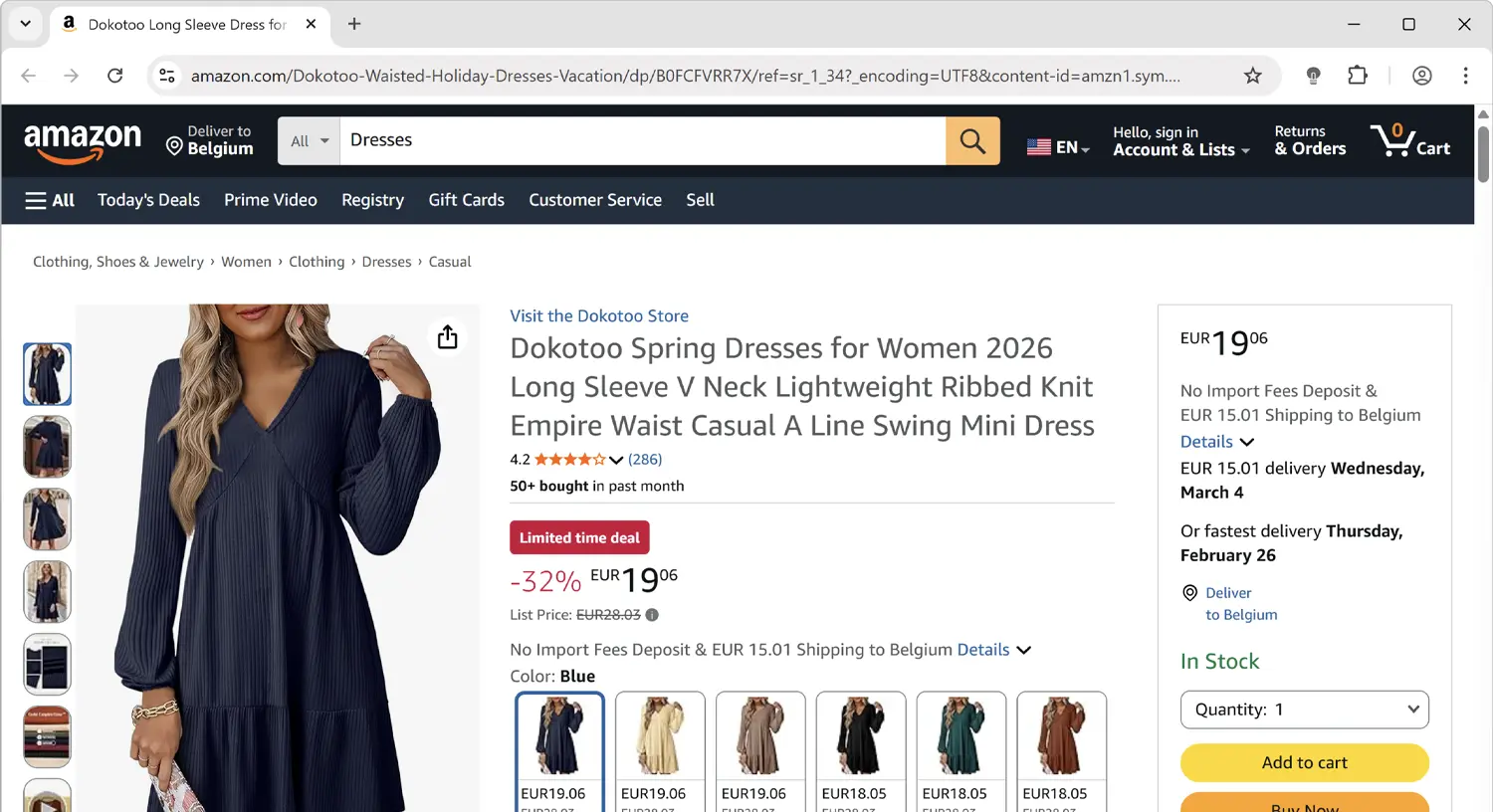
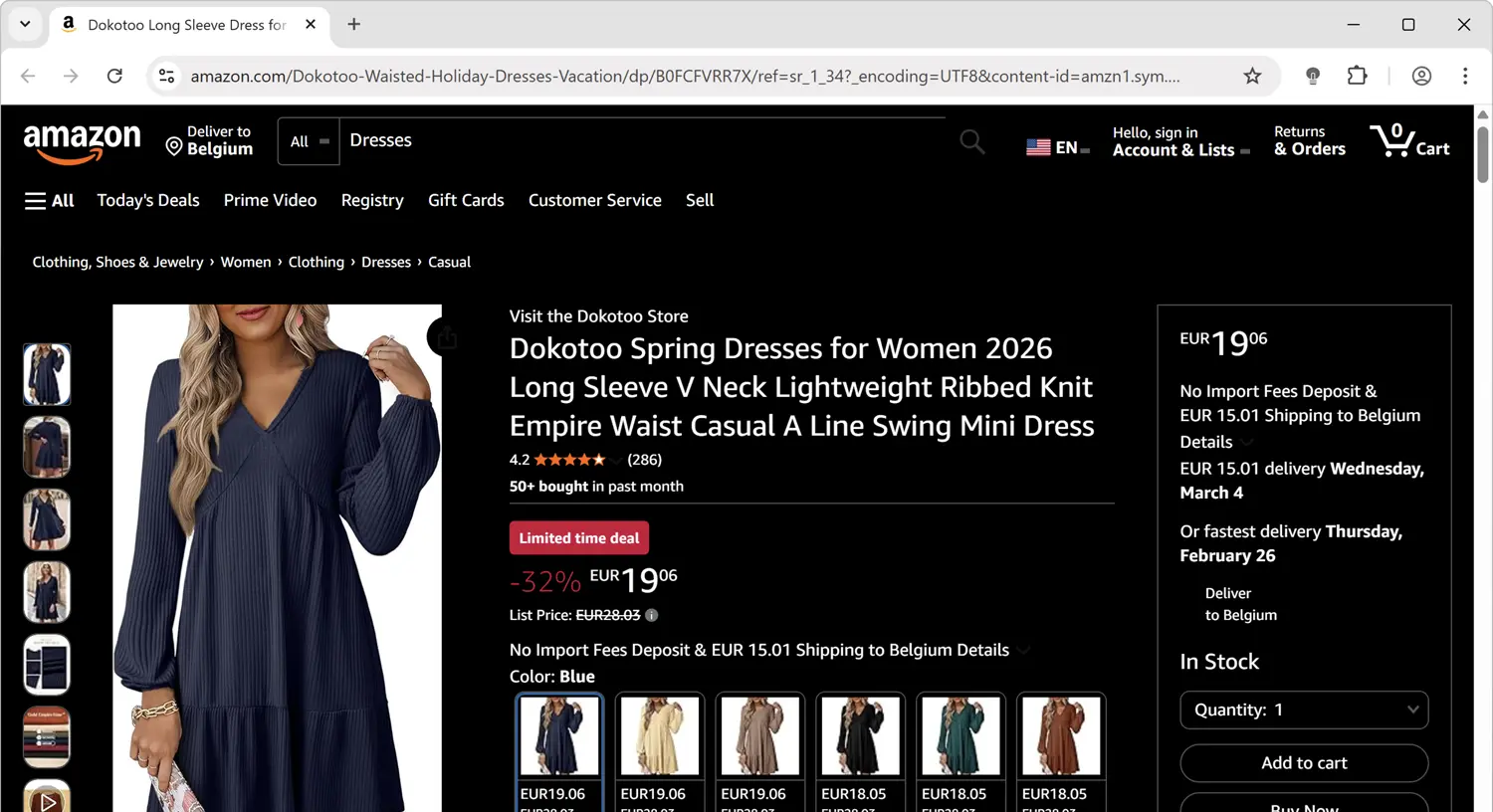
See the difference in before and after screenshots of Amazon with Turn Off the Lights Night Mode enabled. The extension transforms Amazon's bright white interface into a dark, eye-friendly theme that makes browsing more comfortable, especially in low-light environments.
Before
After
How It Works
Enable Amazon Dark Mode in Under 30 Seconds
Turn Off the Lights is available in every major browser store and takes less than 30 seconds to install and activate. No configuration needed — it works instantly.
Install Turn Off the Lights
Add the free extension from your browser's store — Chrome, Firefox, Edge, Safari, or Opera.
Open Amazon.com
Navigate to amazon.com or any Amazon regional store in your browser.
Enable Night Mode
Open Turn Off the Lights Options → Night Mode tab and enable the Night Mode switch.
Customize Amazon Dark Mode
Choose your preferred dark background and text colors. Amazon will now load dark every time you visit.
Browser Support
One Amazon Dark Mode Extension. Every Browser.
Turn Off the Lights is available across all major desktop browsers. Install it in one browser and your Night Mode settings sync automatically to others.
⬇ Install Free — Amazon Dark Mode


FAQ
Frequently Asked Questions About Amazon Dark Mode
Amazon.com does not have a built-in dark mode on its desktop website. To use Amazon dark mode, you need a browser extension like Turn Off the Lights that applies Night Mode to Amazon's pages.
Install Turn Off the Lights, open Options → Night Mode, and enable the switch. Amazon.com will now load in dark mode in your browser.
Yes — the Night Mode applies to all Amazon pages including product listings, search results, your cart, checkout, your orders, and Amazon Prime Video.
Yes — it works in Chrome, Firefox, Edge, Safari, and Opera. Install it in your preferred browser and all Amazon pages will load in dark mode.
Why Turn Off the Lights
The Most Complete Amazon Dark Mode Solution Available
People search for Amazon dark mode because Amazon.com has no native dark theme — its bright white product pages can be hard on the eyes, especially at night. Turn Off the Lights solves this by applying Night Mode to Amazon instantly.
Why Amazon Has No Built-In Dark Mode
As of 2026, Amazon.com does not offer a built-in dark mode or night theme option. The Amazon mobile app has a limited dark mode, but Amazon's desktop website remains entirely white. Turn Off the Lights is the most reliable way to get Amazon dark mode on any browser.
How Turn Off the Lights Applies Amazon Dark Mode
When Night Mode is enabled, Turn Off the Lights converts Amazon's white background to your chosen dark color while keeping product images visible and text readable. The conversion happens before the page finishes loading — so you never see a flash of white.
Protect Your Eyes While Shopping at Night
Late-night Amazon browsing on a bright white screen can cause significant eye strain. Amazon dark mode via Turn Off the Lights reduces blue light emission, lowers screen brightness effectively, and creates a much more comfortable shopping experience during evening and nighttime hours.
Open Source, Private, and Free — Always
Turn Off the Lights collects no personal data, displays no advertising, and charges nothing. The extension is fully open-source under the GNU General Public License Version 2 (GPLv2), with its complete source code available on GitHub for anyone to inspect. It has been in continuous development since 2009 and remains one of the most trusted browser extensions available, with millions of active users across all major browsers. Stefan Van Damme is the solo developer and has maintained the extension with monthly updates for over 15 years.