
Table of Contents
Introduction
The 4chan website has never created a dark mode or night mode feature that is comfortable for your eyes. However, you can get a good night page with the free and open-source Turn Off the Lights browser extension solution. Then you get this 4chan Dark Mode web page, such as this screenshot here below.
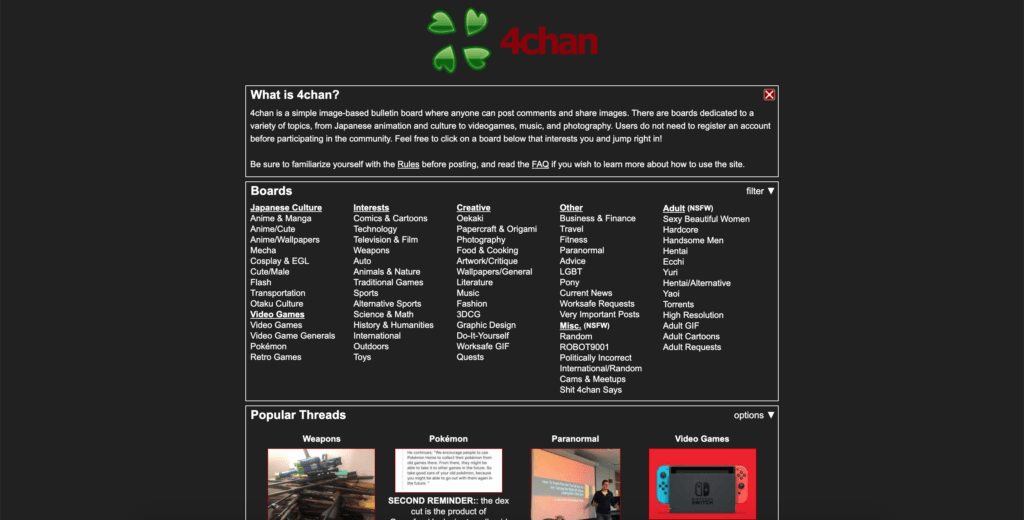
The 4chan Night mode is more enjoyable for your eyes. But this is what you now see as a regular user sees. That without any browser extension installed. You will see a website like this here below, and that is too bright for your eyes.

The solution to enable 4chan dark mode
However, you can use the free Turn Off the Lights browser extension. That will enable the night mode on all websites, and that includes the 4chan website.
Options page
- Download the Turn Off the Lights browser extension
- Click right on the gray lamp button, and select the menu item Options
- Select the Night Mode tab, and enable the first checkbox
Double Click menu
From the Double click menu, or is better known as the mini settings page you can also enable this Night Mode feature.
- Download the Turn Off the Lights browser extension. If the gray lamp button is not installed in your web browser
- Click double on the gray lamp button
- From the popup window choose the 2nd tab, and enable the first checkbox.
Conclusion
Hope that answers one of your questions about the 4chan Dark Mode:
- Activate the 4chan dark theme
- How do I make 4chan Black?
- Is there a dark mode for 4chan?
- How to enable dark mode for 4chan?
- How to activate the 4chan dark theme Firefox?
- How to get the 4chan dark mode extension?
- How to download 4chan dark mode Chrome?
If you find it useful to get your 4chan in Dark Mode, then you can share the link on Facebook or share it to any of your social networks. So your family, friends, or colleagues can know about this handy free tool.
Furthermore, you can customize the Night Mode background color, text color, button text color, and all the hyperlinks colors to your own favorite color. That is all from the Turn Off the Lights Options page.
FAQ
How do I change my color on 4chan?
Is there a 4chan Dark Mode version?
How much does the 4chan Dark Mode cost?
How do you get dark mode on 4chan?
Video tutorials
🕯How to enable the Night Mode feature? REMARKABLE OPTION! 🌃🌚
This video explains how to enable the Night Mode feature in Turn Off the Lights Browser Extension Version 4?Get it Now! https://www.turnoffthelights.comTurn …
Did you find technical, factual or grammatical errors on the Turn Off the Lights website?
You can report a technical problem using the Turn Off the Lights online technical error feedback form.
