🔵How to click through the dark layer and keep it active?
SubscribeHere in this tutorial video, I will reveal the revolutionary way to click through the dark layer and keep it active. If you've ever wondered how to navigate through the darkness and maintain an active experience, you're in the right place. I'll share proven techniques and easy hacks that will help you break through the barriers and unlock the hidden world beyond. Join me on this extraordinary journey and discover the secrets of the dark layer. Steps to install the Naver Whale extension: 00:00 Intro 00:49 Open Options page 01:08 Enable the mouse to click through the dark layer 03:30 Conclusion Questions or need help? Go to https://www.turnoffthelights.com/support/ ALSO AVAILABLE FOR OTHER WEB BROWSERS! TRY IT NOW ON GOOGLE CHROME: https://chrome.google.com/webstore/detail/turn-off-the-lights/bfbmjmiodbnnpllbbbfblcplfjjepjdn TRY IT NOW ON FIREFOX: https://addons.mozilla.org/en-US/firefox/addon/turn-off-the-lights/ TRY IT NOW ON MICROSOFT EDGE: https://microsoftedge.microsoft.com/addons/detail/fmamkbgpnienhphflfdamlhnljffjdgm TRY IT NOW ON OPERA: https://addons.opera.com/extensions/details/turn-off-the-lights/ TRY IT NOW ON SAFARI: https://apps.apple.com/app/turn-off-the-lights-for-safari/id1273998507?mt=12 Please use and enjoy it, and if you can make a donation of any amount, I'd appreciate it immensely https://www.turnoffthelights.com/donate/ #free #turnoffthelights #browserextension
Related videos

How to Change the Chrome Extension Lamp Position in Google Chrome?
Turn Off the Lights
143 views · 3 days ago

How to Check Chrome Extension Version Number in Google Chrome! (Windows, Mac, Linux, Chromebook)
Turn Off the Lights
191 views · 10 days ago

The Ultimate iPad Safari Dark Mode & Eye Protection Guide | FREE
Turn Off the Lights
251 views · 10 days ago

How to Enable Blur Background in Safari on iPad | Safari Extension
Turn Off the Lights
225 views · 17 days ago

Turn Off the Lights Night Mode Engine Compared: Personalized vs Standard | Which Is Faster?
Turn Off the Lights
163 views · 17 days ago

How to Enable Linear Gradient Background as a dimmed layer on iPad | Safari Extension
Turn Off the Lights
182 views · 17 days ago

How to Enable Eye Protection in Safari on iPad | Safari Extension
Turn Off the Lights
266 views · 24 days ago

How to Enable Dynamic Background in Safari on iPad | Safari Extension
Turn Off the Lights
164 views · 24 days ago
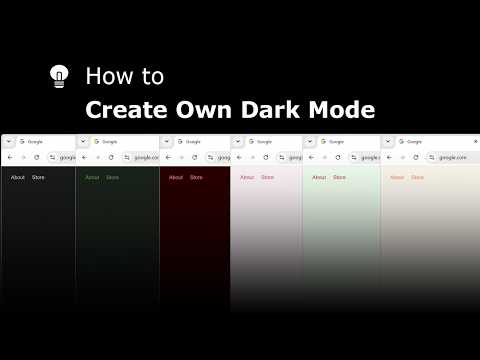
Explore and create your own Dark Mode theme with the Night Mode Themes Gallery
Turn Off the Lights
184 views · 24 days ago

How to Enable Linear Gradient Background in Safari on iPad #tutorial #ipad
Turn Off the Lights
119 views · 25 days ago