
Table of Contents
Screen Glare Reduction is one of the most effective ways to improve digital comfort in today’s screen-dominated world. Whether you work on a computer all day, study online, or browse at night, excessive glare can cause eye fatigue, headaches, and visual discomfort. Screen Glare Reduction is not just about aesthetics, it is backed by visual science, ergonomics research, and ophthalmology recommendations.
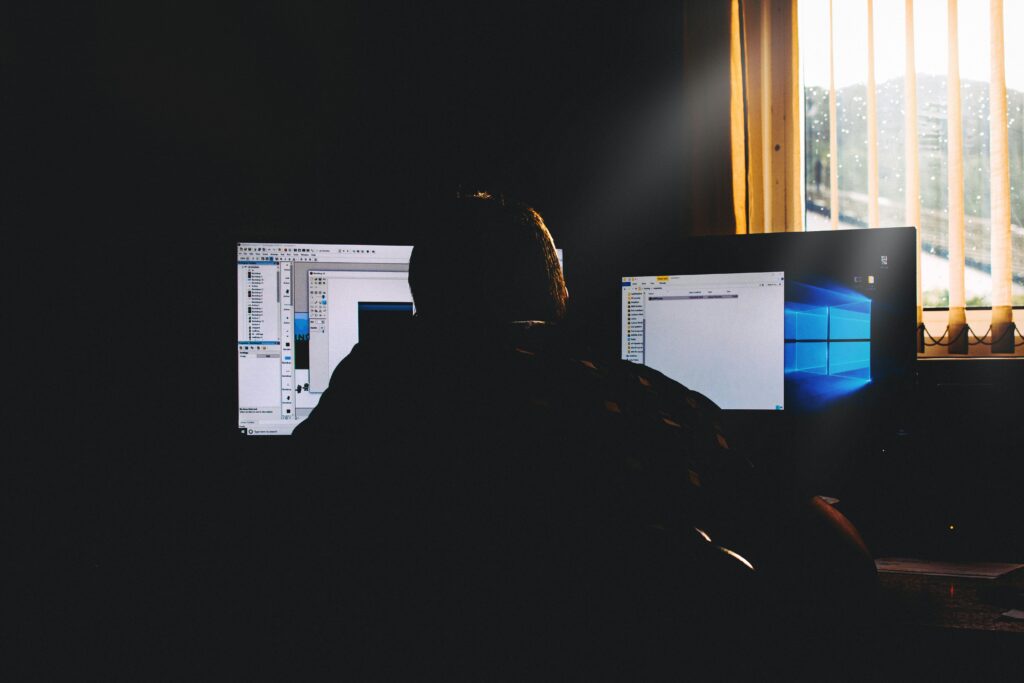
Modern displays are brighter than ever. While brightness improves visibility in daylight, it can become harmful when mismatched with your environment. Understanding how glare works helps explain why reducing it makes such a dramatic difference.
What Is Screen Glare?
Glare occurs when excessive or uncontrolled light enters the eye, reducing contrast and forcing the visual system to work harder.
There are two main types:
1. Direct Glare
Light emitted directly from the screen at high brightness levels.
2. Reflected Glare
Light bouncing off the screen surface from windows, lamps, or overhead lighting.
Both forms increase visual strain and decrease comfort.
When glare is present, your pupils constantly adjust in response to changing brightness levels. This repeated adaptation leads to muscular fatigue in the iris and focusing muscles.
The Visual Science Behind Glare and Eye Fatigue
The human eye is designed to adapt gradually to lighting changes in natural environments. Digital screens disrupt this balance by introducing:
- High luminance levels
- Strong white backgrounds
- Sharp contrast differences
- Flicker (even if imperceptible)
Research in visual ergonomics shows that high luminance contrast increases accommodative demand — meaning your eye muscles must work harder to maintain focus.
Over time, this leads to:
- Eye strain
- Dryness
- Blurred vision
- Headaches
- Reduced concentration
Screen Glare Reduction works by lowering these stress triggers.
Why White Backgrounds Increase Strain
Many websites use bright white backgrounds with dark text. While readable, this design produces high luminance output.
In low-light environments, this creates extreme contrast between the screen and surroundings.
Your pupils constrict when looking at the bright screen and dilate when looking away. This constant fluctuation increases visual workload.
Dark mode and brightness control reduce this extreme luminance difference, supporting Screen Glare Reduction.
The Role of Blue Light in Glare Perception
Blue wavelengths scatter more inside the eye than longer wavelengths like red or orange.
This scattering effect reduces image clarity and increases perceived brightness.
When blue light intensity is high:
- Contrast sensitivity decreases
- Light appears harsher
- Sensitivity increases
By lowering blue light output and reducing brightness, Screen Glare Reduction minimizes this internal scattering effect.
Research Supporting Screen Glare Reduction
Studies in occupational health have found that employees exposed to excessive screen brightness report:
- Higher rates of digital eye strain
- Increased headaches
- Lower productivity
Ergonomic guidelines recommend that screen luminance should match surrounding lighting levels as closely as possible.
When luminance balance improves:
- Blink rate increases
- Muscle tension decreases
- Visual clarity improves
- Comfort duration extends
This is why proper brightness calibration and dark mode implementation are scientifically supported.
How Dark Mode Contributes to Screen Glare Reduction
Dark mode is one of the most practical tools for Screen Glare Reduction.
Here’s why:
Lower Luminance Output
Dark backgrounds emit less total light energy.
Reduced Contrast Shock
Instead of bright white dominating the display, light elements are balanced against darker surroundings.
Improved Nighttime Comfort
In low-light settings, dark mode prevents extreme pupil constriction.
While dark mode may not be ideal in every lighting condition, it significantly enhances comfort in dim environments.
Environmental Factors That Increase Glare
Screen settings are only part of the equation. Your environment matters just as much.
Common glare contributors include:
- Overhead LED lights
- Direct sunlight through windows
- Glossy screen surfaces
- Using screens in completely dark rooms
For optimal Screen Glare Reduction:
- Position screens perpendicular to windows
- Use indirect lighting
- Adjust brightness to match room conditions
- Avoid maximum brightness unless necessary
Balanced lighting reduces strain dramatically.
Screen Glare and Productivity
Excessive glare does not just cause discomfort — it reduces performance.
When the eyes are fatigued:
- Reading speed decreases
- Focus shortens
- Error rates increase
- Mental fatigue rises
Studies in workplace ergonomics show that improving lighting and reducing glare improves both comfort and efficiency.
Comfortable vision allows sustained cognitive performance.
The Connection Between Glare and Dry Eye
Glare often causes users to squint, which reduces blinking frequency.
Reduced blinking leads to:
- Tear film instability
- Surface irritation
- Increased light sensitivity
By lowering brightness and glare intensity, Screen Glare Reduction supports healthier blinking patterns.
Practical Screen Glare Reduction Strategy
Here is a realistic daily approach:
- Adjust screen brightness to match ambient light
- Enable dark mode in low-light conditions
- Increase text size to reduce squinting
- Use matte screen protectors if needed
- Take 20-second breaks every 20 minutes
- Keep screens about an arm’s length away
Small adjustments prevent long-term strain accumulation.
Is Maximum Brightness Ever Necessary?
High brightness is appropriate outdoors or in bright office environments.
However, using maximum brightness in dim settings significantly increases glare and visual stress.
Automatic brightness settings can help, but manual adjustment often provides better control.
The goal of Screen Glare Reduction is balance — not constant dimness.
Long-Term Benefits of Managing Glare
Consistent Screen Glare Reduction can lead to:
- Fewer headaches
- Reduced digital eye strain
- Better nighttime comfort
- Improved sleep readiness
- Greater productivity
These benefits compound over time.
Instead of reacting to discomfort, proactive glare management prevents it.
Final Thoughts
Screen Glare Reduction is a foundational strategy for protecting digital eye health. In a world where screens are unavoidable, optimizing brightness, reducing contrast shock, and minimizing glare intensity are essential habits.
Scientific research supports what many users already feel — bright, high-contrast screens create unnecessary visual stress.
By implementing Screen Glare Reduction techniques such as dark mode, brightness calibration, and environmental adjustments, you create a more sustainable and comfortable digital experience.
Thereby, you can use the free Turn Off the Lights browser extension to dim the web page. Or use the premium Turn Off the Lights for Desktop on macOS and Turn Off the Lights for Desktop on Windows to dim your computer screen.
When your eyes work less, you feel better, focus longer, and protect your long-term visual health.
Did you find technical, factual or grammatical errors on the Turn Off the Lights website?
You can report a technical problem using the Turn Off the Lights online technical error feedback form.
