
Table of Contents
What is Apple Music?
Apple Music is a subscription-based music streaming service developed by Apple Inc. It was first introduced in 2015. Apple allows users to stream a vast catalog of songs, albums, and playlists from the Apple Music library. Users can also create and share their playlists, and the service includes features like curated radio stations (such as Beats 1) and music recommendations based on user preferences.
Apple Music is available on various Apple devices, including iPhones, iPads, Macs, and Apple Watches. It’s also accessible on Windows computers and Android devices. Users can subscribe to Apple on a monthly basis, and the subscription fee provides access to the entire music library without ads. Subscribers can also download songs for offline listening.
Does Turn Off the Lights browser extension support Apple Music Embed?
Yes, the Apple Music video player will be automatically detected by the Turn Off the Lights browser extension. So no extra setup is needed to highlight this video player in your web browser. Therefore, make sure you have the latest Turn Off the Lights extension v3.2 or higher installed in your favorite web browser. And with one click on the gray lamp button, it focuses automatically on the below embedded Apple video player content.
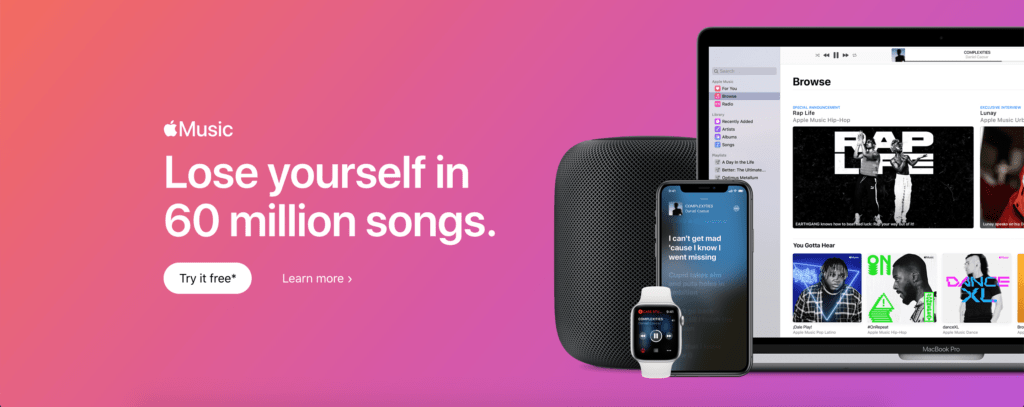
What is the Apple Music benefits?
Apple offers several benefits for users who subscribe to the service. Here are some key advantages:
- Extensive Music Library: Apple provides access to a vast library of over 75 million songs, including a wide range of genres. This extensive catalog ensures that users can find and listen to their favorite tracks, artists, and albums.
- Offline Listening: Subscribers can download songs and playlists for offline listening. This is particularly useful for situations where you might not have a reliable internet connection, such as during flights or in areas with poor network coverage.
- Curated Playlists and Radio Stations: Apple offers curated playlists and radio stations curated by music experts and algorithms. This helps users discover new music based on their preferences and listening habits.
- Integration with Apple Ecosystem: If you are already invested in the Apple ecosystem with devices like iPhone, iPad, Apple Watch, and Mac, Apple seamlessly integrates across these platforms. This allows for a consistent and convenient music streaming experience.
- High-Quality Audio: Apple streams songs in high-quality audio, providing a better listening experience compared to lower-quality streaming services.
- Exclusive Content: Apple occasionally features exclusive releases, early access to certain albums, and exclusive interviews with artists. This can be an enticing feature for users who want access to unique content.
- Family Sharing: Apple allows for Family Sharing, enabling multiple family members to use the service under a single subscription. Each member can have their own personalized playlists and recommendations.
- Cross-Platform Support: While Apple is native to Apple devices, it is also available on other platforms, including Android and Windows. This cross-platform support ensures that users can access their music library from various devices.
- Customizable Playlists: Users can create and share their own playlists, as well as follow playlists created by others. This adds a social and collaborative aspect to music discovery.
- Siri Integration: If you have Apple devices with Siri support, you can use voice commands to control Music. This hands-free feature can be convenient, especially when driving or multitasking.
Apple Music
It is an online platform from the same company that brought you the iPhone, so here you can discover and listen to the latest song online in your Music (or iTunes) program or on the iPhone / iPad device.
FAQ
What is Apple Music?
Where is Apple Music available?
Does the Turn Off the Lights browser extension support Apple Music Embed?
What content is available on Apple Music?
Can Apple Music songs be downloaded for offline listening?
Did you find technical, factual or grammatical errors on the Turn Off the Lights website?
You can report a technical problem using the Turn Off the Lights online technical error feedback form.
