
Turn Off the Lights Firefox용 확장 프로그램 다운로드
Turn Off the Lights Firefox용 확장 프로그램을 설치하세요! 회색 램프 버튼을 한 번 클릭하면 웹 페이지가 어두워지고 비디오 플레이어가 자동으로 강조 표시됩니다.
"Turn Off the Lights Firefox용" 설치 방법 보기
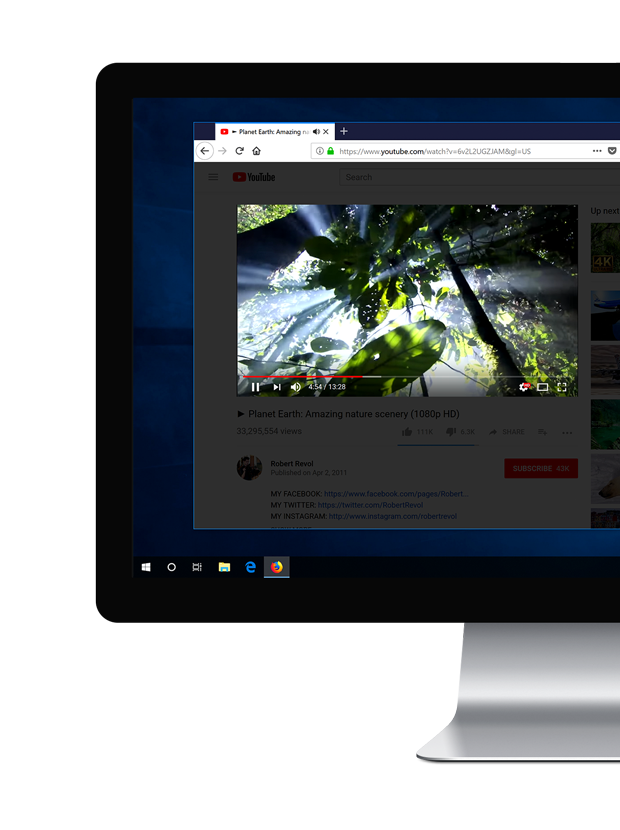
Experience the Useful Ultimate Tool in your Firefox
Firefox is the first web browser that extends its functionality with add-ons. This is unprecedented in the history of customizable the web since the Internet Explorer web browser. Mozilla featured the unique and amazing Turn Off the Lights Firefox extension with the Recommended Extensions program. Turn Off the Lights set the highest standards of security, functionality, and user experience as a Firefox extension and the web. You get the unique YouTube watching experience that is never seen before. It includes many powerful features and video edge technology that no other Firefox extension has, and where you can get the best web experience. Such as the glow effects around the video player, video filters, video screenshot taker, mouse volume scroll on HTML5 videos, Night Mode, etc. And personalize it to your personal Firefox Dark Mode on all websites. And it is completely free and open-source. Enjoy a better and comfortable web experience today in your Firefox web browser. Try it Now!
- Go the Firefox Add-ons and open Turn Off the Lights page
- Click on the blue Add to Firefox button to install the Firefox extension in your web browser
- Open now a YouTube video, and with a single click on the gray lamp button it dims the web page and highlights the video player
To learn more about extension features you can check out our Turn Off the Lights Welcome Guide or the YouTube tutorials videos. So you can discover and experience the new features that make your web experience more enjoyable. And if you ever experience an issue or you need help. Do not hesitate to contact us on this Support page.
Experience the Useful Ultimate Tool in your Firefox
🧩 Is Turn Off the Lights a Free Firefox extension?
Yes, the Turn Off the Lights is a free and open-source Firefox extension for your Firefox web browser. And it a gray lamp button in your web browser. So you can dim the current web page, and highlight the video player if it is available on this web page.
🛡 Do you inject ads on all websites when I install this Firefox extension?
No, we take the privacy of our users very seriously. And the Turn Off the Lights Firefox extension will not do these bad activities. Furthermore, there is no Google Analytics script inside that detects the user browser activity.
🕶 Can I keep the dark layer always enabled?
Yes, in the Turn Off the Lights Options page at the Advanced Options tab you can enable this option. Then it will automatically dim the current web page when you open a new tab or click on a hyperlink.
🌃 Can It also convert the website to a night theme?
Yes, you can enable the Night Mode option in the Turn Off the Lights Options page. That will convert all websites stylesheet to your personal night theme with a single click on the switch or with a long press on the current web page.