
Table of Contents
A new update for the Turn Off the Lights for Desktop app, the best focus screen dimmer available for both Windows and macOS.The
Improved Spotlight Feature in the Focus Screen Dimmer app
This latest version introduces an improved Spotlight feature. When you dim your screen, a transparent circle appears while the rest of the screen stays darkened, creating a flashlight effect that helps you focus on a specific area of the screen.
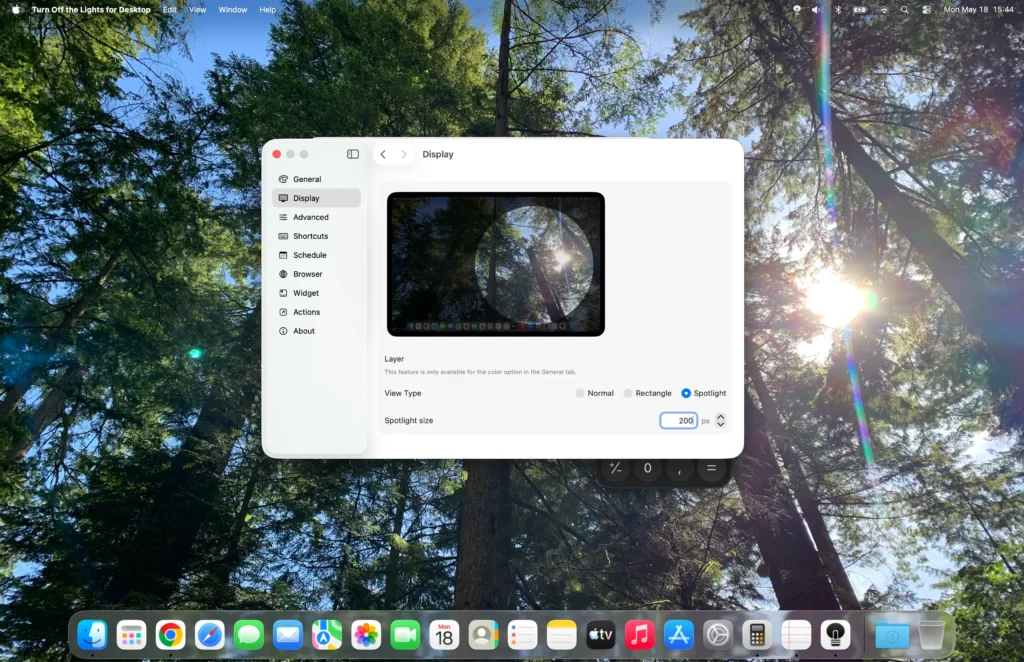
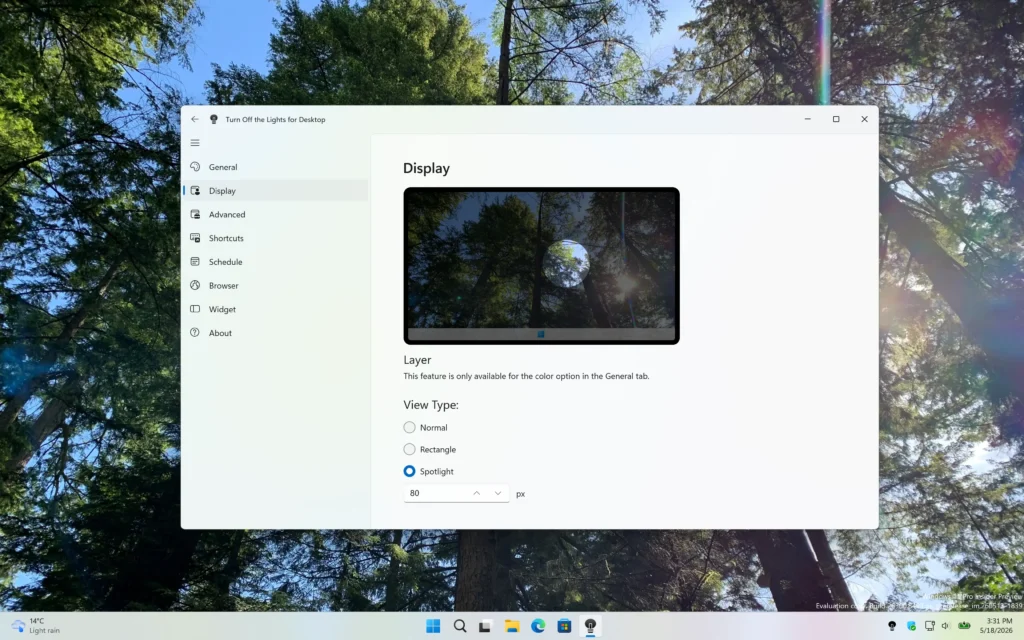
With this update, you can now fully customize the size of the spotlight circle. Make it larger to highlight more content or smaller for a more focused viewing experience.
Improved Support for Windows 11 Taskbar
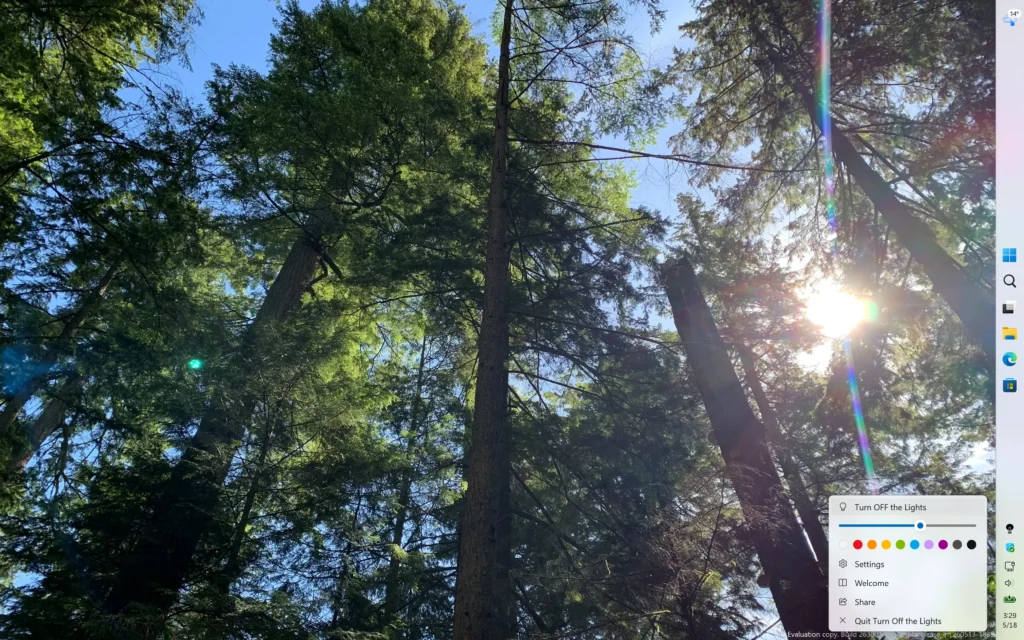
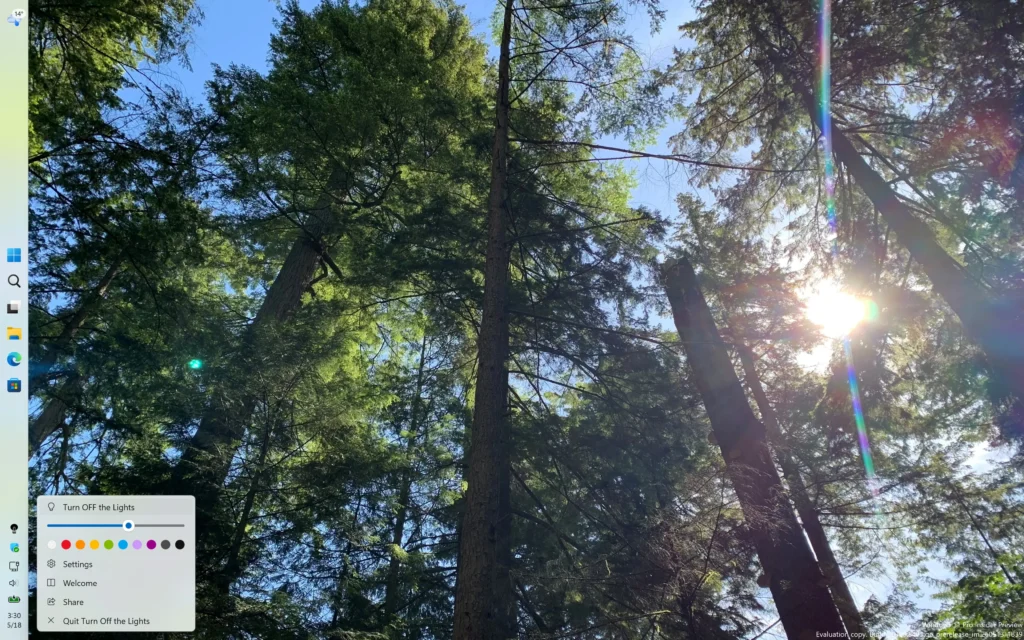
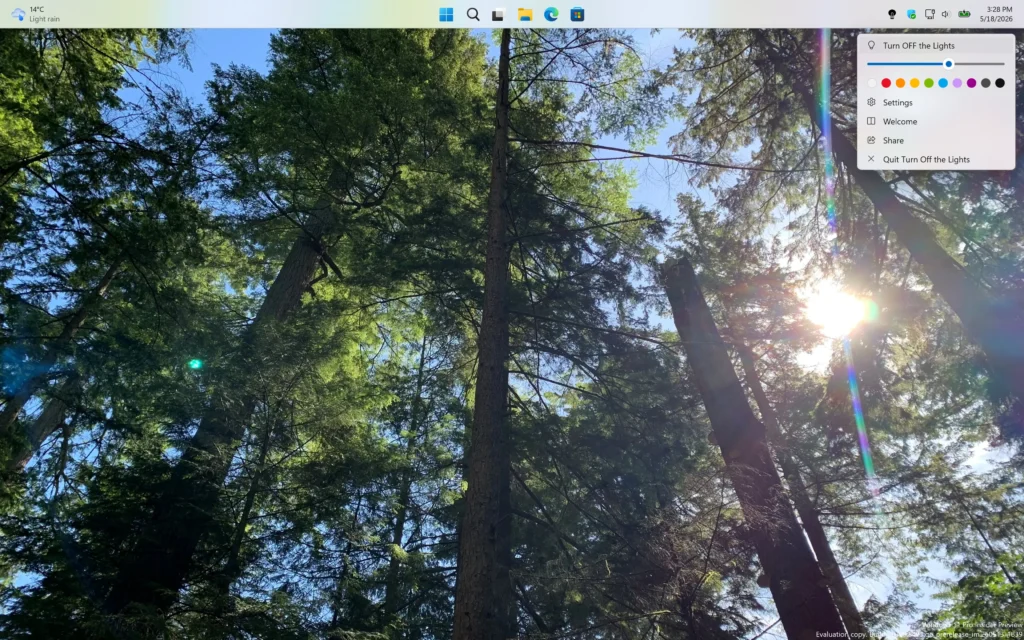
The latest Turn Off the Lights for Desktop update is also optimized for Windows 11. It now correctly supports the new taskbar positions available in Windows 11 25H2, including top, left, and right taskbar layouts.
In addition, the right-click context menu now displays correctly regardless of the taskbar position, providing a smoother and more consistent user experience.
Reposition the Taskbar: Go to Windows 11 Settings > Personalization > Taskbar > Taskbar Behaviors. You can now select the screen side (top, bottom, left, or right).
Download the Update Today
You can download the latest screen dimmer update version now from the Microsoft Store and the Mac App Store.
