
Table of Contents
In the Turn Off the Lights browser extension version 4.6.5 and later, you have more control over where specific features are active. For example, you can set AutoDim to work only on the YouTube watch page and not on the YouTube homepage.
Run an Option on Your Selected Web Page
New URL format
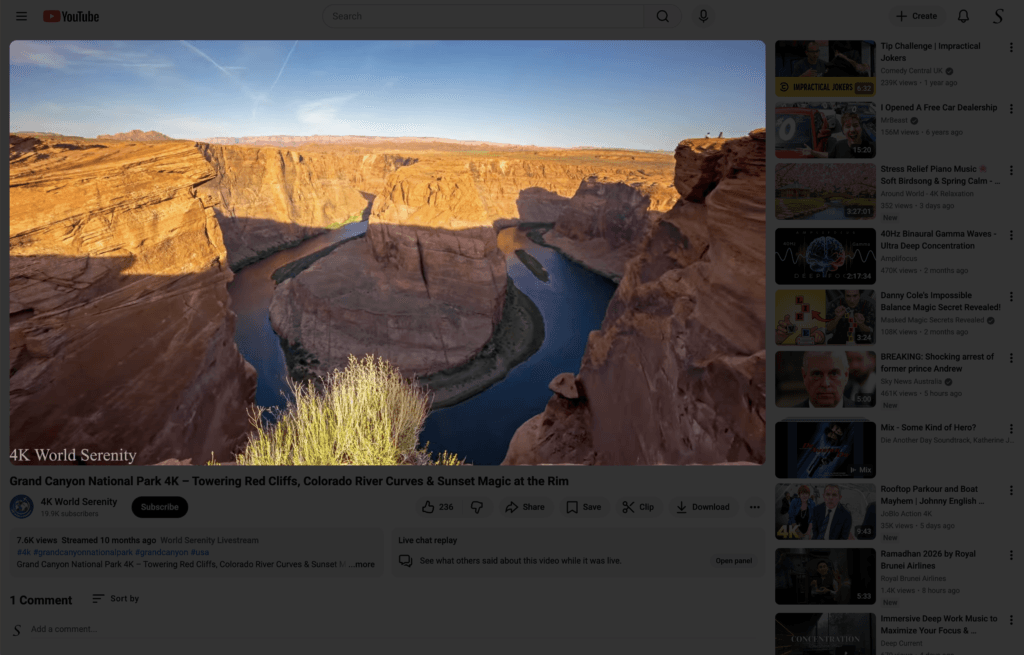
AutoDim is a feature that automatically dims the web page when a video is playing, bringing the video player into focus on top of the screen. When you pause the video or it ends, the dimming layer is removed, returning the page to normal. Clicking the play button again will reapply the dim effect and bring the video player back on top.
To do this:
- Enable the AutoDim feature.
- Enable the Whitelist option.
- Add the following URL pattern:
https://www.youtube.com/watch*The asterisk (*) at the end acts as a wildcard. It means that everything to the left must match exactly, and anything to the right can vary.
For example, when you open:
https://www.youtube.com/watch?v=TiRtKcBYozIAutoDim will activate on that page.
However, it will not activate on the homepage:
https://www.youtube.comDouble Click to Edit URL
Another improvement is in the Turn Off the Lights Options page. Previously, if you added a URL to the list below and noticed a typo, you had to remove it and type it again. Now, you can simply double-click on the row to edit it directly. This makes it easier to correct mistakes without having to re-enter the entire URL and helps prevent typing errors.
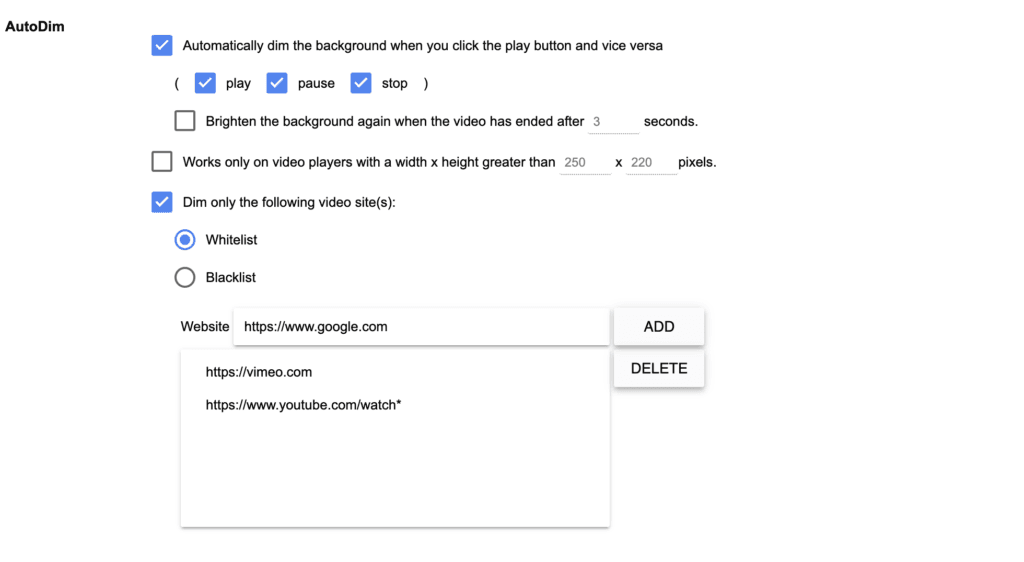
Furthermore, this new URL format works not only for AutoDim, but also for the AutoStop feature, Eye Protection, Atmosphere Lighting, and the Video Toolbar.
Last call for Feedback Form
Do not forget to fill out the 2026 feedback form. It only takes 2 minutes, as it will be closing later this month. We still need your feedback. Tell us about any frustrations or issues you have experienced with Turn Off the Lights, no matter how small. Every detail helps us improve this free and Open-Source browser extension.
Fill in the 2026 feedback form
After 16 years of development, there is always room to grow and improve. Whether it is suggestions, new feature ideas, or feedback on your experience, we welcome and appreciate every comment.
