Turn Off the Lights Browser Extension for Google Chrome, Firefox, Opera, Safari, and Microsoft Edge
SubscribeDim the web page and automatically highlight video players such as YouTube, Vimeo, Youku, Dailymotion, and more. Download Now! https://www.turnoffthelights.com The Turn Off the Lights browser extension does more than just dim the web page. You can enable Night Mode to convert any website to your personal dark theme, use AutoStop to automatically stop all HTML5 videos from playing, and expand videos to fill the entire browser window, along with many other features to enhance your online video experience. Discover the features: 00:00 Turn Off the Lights Browser extension 0:04 Easily Dim Your Web Page 0:15 Works everywhere 0:22 Double Click Menu 0:32 Atmosphere Lighting 0:44 Mouse Volume Scroll 0:53 AutoDim 1:04 Night Mode 1:17 Eye Protection 1:27 AutoStop 1:44 Audio Visualization 1:58 Expand Video to Full Browser Window 2:13 Video Filters 2:41 Free and Open-Source 2:53 Developer Quote 3:00 Download it Now! 3:12 Overview Note: All features such as Night Mode, Atmosphere Lighting, Mouse Volume Scroll, AutoDim, AutoStop, Audio Visualization, Video Toolbar, and Video Filters are disabled by default. If you want to use one or more features, open the Turn Off the Lights Options page and enable the corresponding checkboxes. This approach keeps the browser extension simple and unobtrusive for first-time users. Questions or need help? Go to https://www.turnoffthelights.com/support ALSO AVAILABLE FOR OTHER WEB BROWSERS! TRY IT NOW ON GOOGLE CHROME: https://chromewebstore.google.com/detail/turn-off-the-lights/bfbmjmiodbnnpllbbbfblcplfjjepjdn TRY IT NOW ON FIREFOX: https://addons.mozilla.org/en-US/firefox/addon/turn-off-the-lights/ TRY IT NOW ON MICROSOFT EDGE: https://microsoftedge.microsoft.com/addons/detail/fmamkbgpnienhphflfdamlhnljffjdgm TRY IT NOW ON OPERA: https://addons.opera.com/extensions/details/turn-off-the-lights/ TRY IT NOW ON APPLE SAFARI: https://apps.apple.com/us/app/turn-off-the-lights-for-safari/id1273998507 TRY IT NOW ON NAVER WHALE: https://store.whale.naver.com/detail/oplanocjcpankemphfllmlhglnloaolj Turn Off the Lights browser extension works on any web browser, such as ChatGPT Atlas, Perplexity Comet, Arc, Brave, Vivaldi, Cốc Cốc, Samsung Internet, WaterFox, Tor, SRware, UC, Maxthon, and Chromium web browsers. Do not forget to share this video with everyone and enjoy this free browser extension! Please use and enjoy it, and if you can, make a donation of any amount. Your support is greatly appreciated. https://www.turnoffthelights.com/donate/

How to Enable Eye Protection in Safari on iPad | Safari Extension
Turn Off the Lights
153 views · 5 days ago

How to Enable Dynamic Background in Safari on iPad | Safari Extension
Turn Off the Lights
91 views · 5 days ago
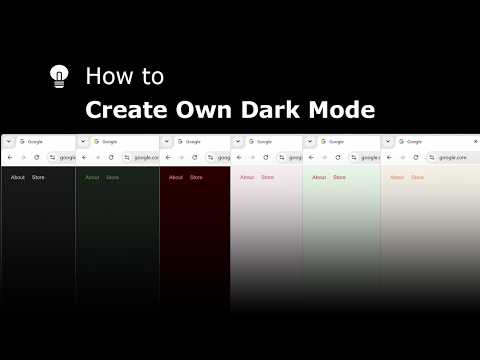
Explore and create your own Dark Mode theme with the Night Mode Themes Gallery
Turn Off the Lights
107 views · 5 days ago

How to Enable Linear Gradient Background in Safari on iPad #tutorial #ipad
Turn Off the Lights
81 views · 6 days ago

How to Enable Blur in Safari on iPad #turorial #ipad
Turn Off the Lights
239 views · 7 days ago

Get Smoke Dynamic Background in Safari on iPad #tutorial #ipad
Turn Off the Lights
112 views · 8 days ago

Get Cloud Dynamic Background in Safari on iPad #tutorial #ipad
Turn Off the Lights
105 views · 9 days ago

How to Enable Dynamic Background in Safari on iPad #tutorial #ipad
Turn Off the Lights
120 views · 11 days ago

How to Change the Lamp Button on iPad | Safari Extension
Turn Off the Lights
294 views · 12 days ago

How to Enable Atmosphere Lighting in Safari on iPad | Safari extension
Turn Off the Lights
228 views · 12 days ago