What’s New in Turn Off the Lights Browser Extension 4.7 | Mouse Shake & Faster Than Ever!
SubscribeDiscover what’s new in version 4.7 of the Turn Off the Lights browser extension, which is available for all major web browsers. https://www.turnoffthelights.com/browser 🖱️ Mouse Shake Quickly dim or restore the web page with a simple shake of your mouse. You can also adjust the mouse shake sensitivity in the Options page. ⚡ Improved Performance Version 4.7 improves efficiency by loading scripts only when the related features are enabled, reducing main thread usage by up to 60% compared to the previous version. 🏢 Improved Chrome Policy Support Turn Off the Lights is becoming an even better choice for schools, businesses, organizations, and enterprise environments. Improved Chrome policy support makes deployment and management easier for administrators across managed devices. https://www.turnoffthelights.com/education/it/ Discover: 0:00 Intro 0:25 Mouse Shake 0:51 Performance 1:13 Policy 1:41 FREE and Open-Source 1:55 Overview Questions or need help? Go to https://www.turnoffthelights.com/support ALSO AVAILABLE FOR OTHER WEB BROWSERS! TRY IT NOW ON GOOGLE CHROME: https://chromewebstore.google.com/detail/turn-off-the-lights/bfbmjmiodbnnpllbbbfblcplfjjepjdn TRY IT NOW ON FIREFOX: https://addons.mozilla.org/en-US/firefox/addon/turn-off-the-lights/ TRY IT NOW ON MICROSOFT EDGE: https://microsoftedge.microsoft.com/addons/detail/fmamkbgpnienhphflfdamlhnljffjdgm TRY IT NOW ON OPERA: https://addons.opera.com/extensions/details/turn-off-the-lights/ TRY IT NOW ON APPLE SAFARI: https://apps.apple.com/us/app/turn-off-the-lights-for-safari/id1273998507 TRY IT NOW ON NAVER WHALE: https://store.whale.naver.com/detail/oplanocjcpankemphfllmlhglnloaolj Turn Off the Lights browser extension works on any web browser, such as ChatGPT Atlas, Arc, Brave, Vivaldi, Cốc Cốc, Samsung Internet, WaterFox, Tor, SRware, UC, Maxthon, and Chromium web browsers. Do not forget to share this video with everyone and enjoy this free browser extension! Please use and enjoy it, and if you can, make a donation of any amount. Your support is greatly appreciated. https://www.turnoffthelights.com/donate/
Related videos

How to Enable Blur Background in Safari on iPad | Safari Extension
Turn Off the Lights
172 views · 6 days ago

Turn Off the Lights Night Mode Engine Compared: Personalized vs Standard | Which Is Faster?
Turn Off the Lights
135 views · 6 days ago

How to Enable Linear Gradient Background as a dimmed layer on iPad | Safari Extension
Turn Off the Lights
135 views · 6 days ago

How to Enable Eye Protection in Safari on iPad | Safari Extension
Turn Off the Lights
231 views · 13 days ago

How to Enable Dynamic Background in Safari on iPad | Safari Extension
Turn Off the Lights
154 views · 13 days ago
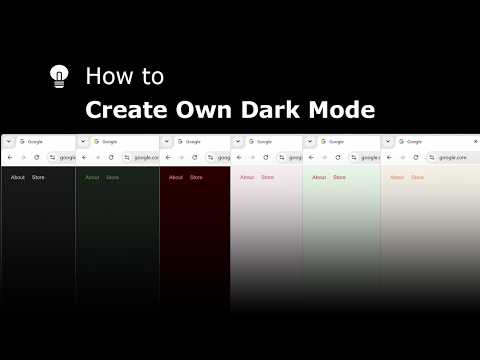
Explore and create your own Dark Mode theme with the Night Mode Themes Gallery
Turn Off the Lights
163 views · 13 days ago

How to Enable Linear Gradient Background in Safari on iPad #tutorial #ipad
Turn Off the Lights
109 views · 14 days ago

How to Enable Blur in Safari on iPad #turorial #ipad
Turn Off the Lights
265 views · 15 days ago

Get Smoke Dynamic Background in Safari on iPad #tutorial #ipad
Turn Off the Lights
118 views · 16 days ago

Get Cloud Dynamic Background in Safari on iPad #tutorial #ipad
Turn Off the Lights
121 views · 17 days ago