Turn Off the Lights Night Mode Engine Compared: Personalized vs Standard | Which Is Faster?
SubscribeLearn how to use the Night Mode Engine in the Turn Off the Lights browser extension and discover the differences between the Personalized Theme and the Standard Theme. In this step-by-step tutorial, I'll explain how each theme works, their key benefits, how they change the appearance of websites, and when you should choose one over the other. You'll also see side-by-side examples on real websites, including Google Search and Wikipedia, so you can decide which Night Mode experience best fits your browsing style. In this video: + Introduction to the Night Mode Engine + What is the Personalized Theme + Benefits of the Personalized Theme + How to enable the Personalized Theme + Personalized Theme examples + What is the Standard Theme? + Benefits of the Standard Theme + How to enable the Standard Theme + Standard Theme examples + Personalized Theme vs Standard Theme comparison + Which Night Mode Engine should you choose? Explain the different Night Mode engines 00:00 Intro 00:43 Personalized Theme 01:03 Why use Personalized Theme 01:37 Benefits of Personalized Theme 02:08 How Personalized Theme Looks 03:02 Performance Considerations 03:30 How to Enable Personalized Theme 03:58 Standard Theme 04:16 Why Use Standard Theme 04:49 Benefits of Standard Theme 05:05 How Standard Theme Looks 06:12 Performance Considerations 06:31 How to Enable Standard Theme 07:15 Final Comparison 07:33 Conclusion Questions or need help? Go to https://www.turnoffthelights.com/support/ ALSO AVAILABLE FOR OTHER WEB BROWSERS! TRY IT NOW ON GOOGLE CHROME: https://chromewebstore.google.com/detail/turn-off-the-lights/bfbmjmiodbnnpllbbbfblcplfjjepjdn TRY IT NOW ON FIREFOX: https://addons.mozilla.org/en-US/firefox/addon/turn-off-the-lights/ TRY IT NOW ON MICROSOFT EDGE: https://microsoftedge.microsoft.com/addons/detail/fmamkbgpnienhphflfdamlhnljffjdgm TRY IT NOW ON OPERA: https://addons.opera.com/extensions/details/turn-off-the-lights/ TRY IT NOW ON SAFARI: https://apps.apple.com/app/turn-off-the-lights-for-safari/id1273998507?mt=12 Please use and enjoy it, and if you can make a donation of any amount, I'd appreciate it immensely https://www.turnoffthelights.com/donate/ #free #turnoffthelights #browserextension

How to Enable Blur Background in Safari on iPad | Safari Extension
Turn Off the Lights
40 views · 17 hours ago

How to Enable Linear Gradient Background as a dimmed layer on iPad | Safari Extension
Turn Off the Lights
33 views · 17 hours ago

How to Enable Eye Protection in Safari on iPad | Safari Extension
Turn Off the Lights
212 views · 7 days ago

How to Enable Dynamic Background in Safari on iPad | Safari Extension
Turn Off the Lights
129 views · 7 days ago
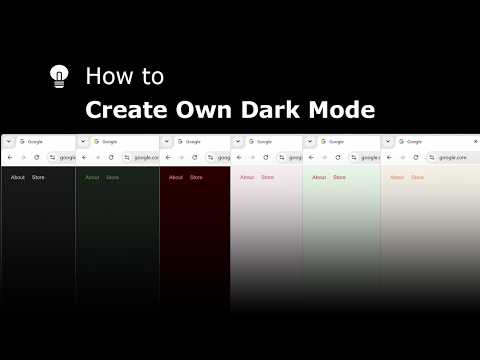
Explore and create your own Dark Mode theme with the Night Mode Themes Gallery
Turn Off the Lights
131 views · 7 days ago

How to Enable Linear Gradient Background in Safari on iPad #tutorial #ipad
Turn Off the Lights
98 views · 8 days ago

How to Enable Blur in Safari on iPad #turorial #ipad
Turn Off the Lights
254 views · 9 days ago

Get Smoke Dynamic Background in Safari on iPad #tutorial #ipad
Turn Off the Lights
114 views · 10 days ago

Get Cloud Dynamic Background in Safari on iPad #tutorial #ipad
Turn Off the Lights
110 views · 11 days ago
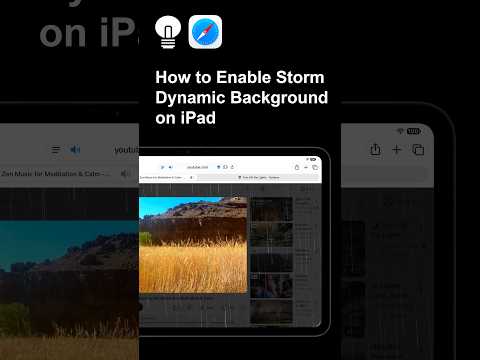
Get the Storm Dynamic Background effect in Safari on iPad #tutorial #ipad
Turn Off the Lights
89 views · 12 days ago